The Carrier Information Page shows the list of all carrier in a specific account. Added carrier on the portal will be reflected on the list of carrier on the app.
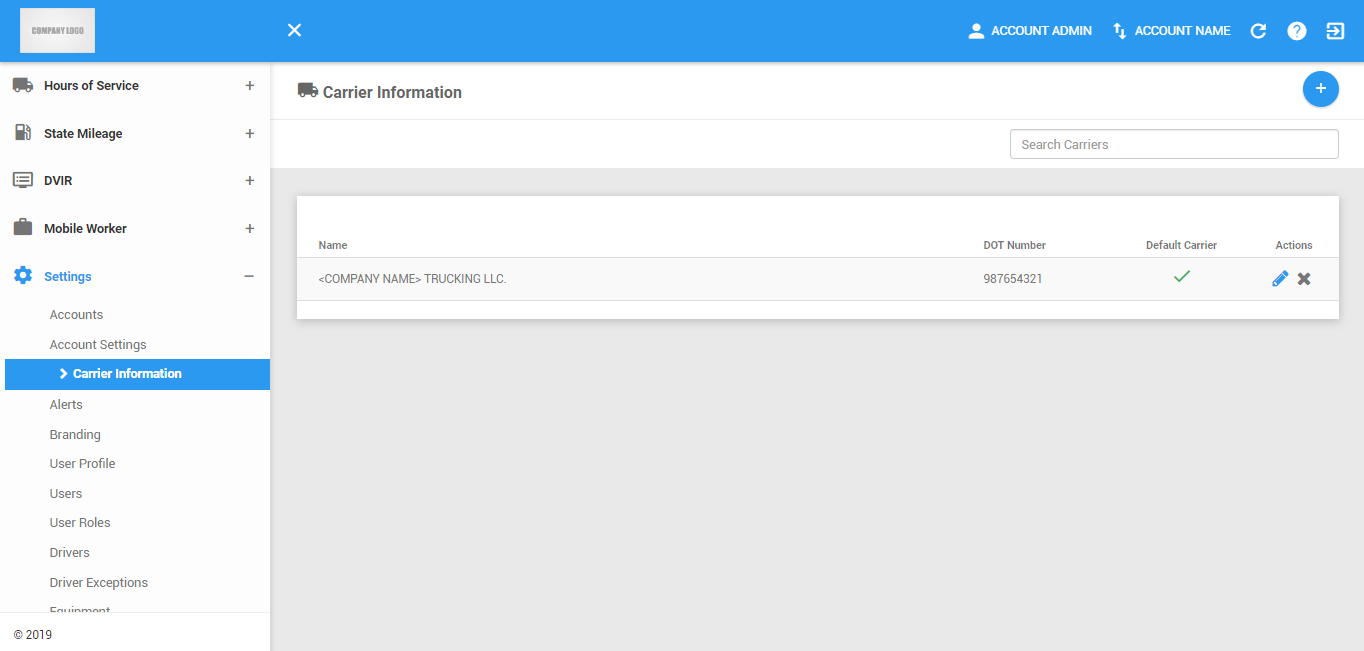
The Carrier Information page can be manually refreshed using the Refresh button within the site header.

Carrier Information Management Actions
1. Creating New Carrier
1.1 Click on the New Carrier button.

1.2 The Add Carrier Information dialog will then appear.
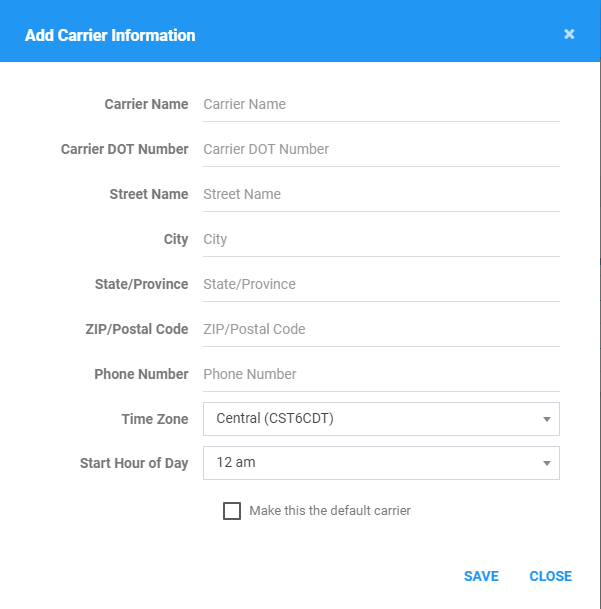
1.3 Fill in / Select the Carrier information.
Fill in the name and Dot Number of the carrier.

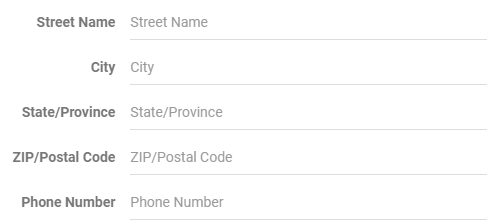
Fill in the address fields of the carrier.
Select a timezone and the start time of day set for drivers assigned to this carrier.

Check the Default option if you want this carrier to be the account’s default carrier information. While a carrier is set as the default carrier, it cannot be deleted.

1.4 Click the Save button to successfully add the carrier. Click the Close button to cancel the creation.

2. Searching Carrier
2.1 Type the Name of the Carrier in the Search text field.

2.2 The Carrier Information table will then be updated to only show the the carrier/s with the specified name.
NOTE: Carrier Information table will display carriers when user typed the first and second letter of the carrier name
Carrier Information Table
1. Editing a Carrier Information
1.1 Click on the Edit icon of a specific carrier.

1.2 The Update Carrier Information dialog will then appear.
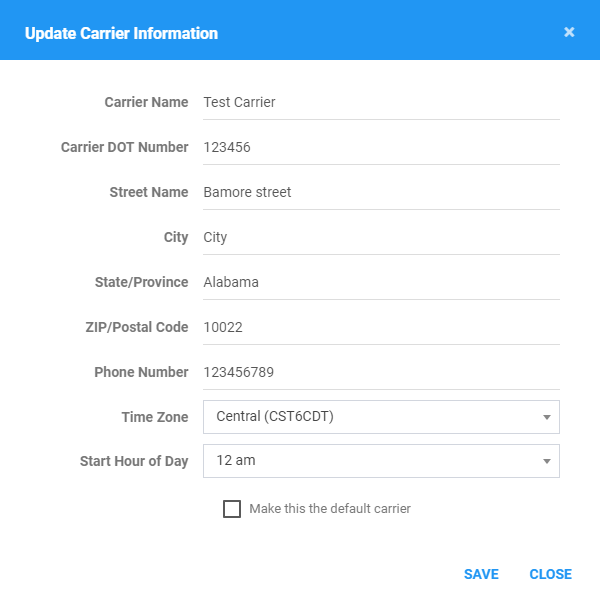
1.3 Fill in / Select the carrier information details as you would in creating a carrier.
1.4 Click the Save button to successfully save the carrier. Click the Close button to cancel the edit.
2. Deleting a Carrier
2.1 Click on the Delete icon of a specific carrier.

2.2 The Delete Carrier dialog will then appear.

2.3 Click the Delete button to successfully delete the carrier. Click the Cancel button to cancel the deleting of the carrier.

Was this article helpful?
That’s Great!
Thank you for your feedback
Sorry! We couldn't be helpful
Thank you for your feedback
Feedback sent
We appreciate your effort and will try to fix the article