The Child Account Support page allows the Parent Account Admin to enter a support contact number and email for their child accounts, ensuring child account users can easily access the appropriate support contacts for assistance.
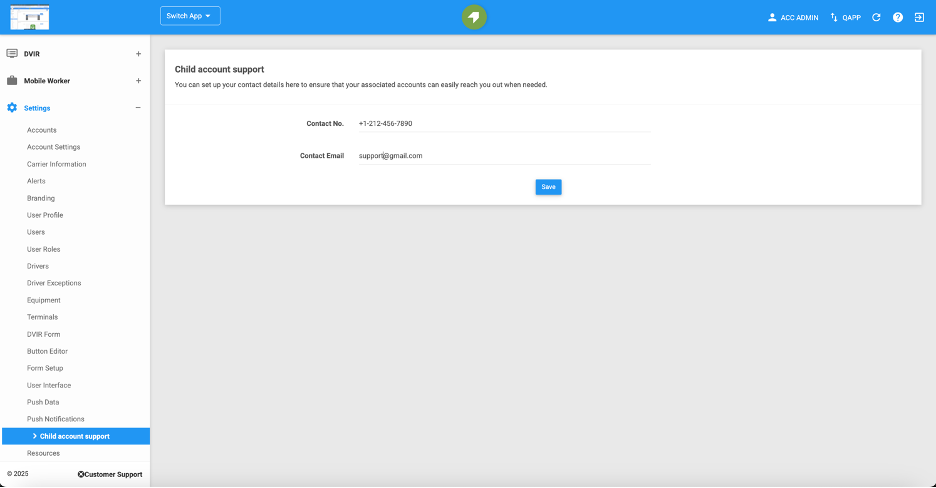
Contact Number
Provide the phone number that users can call for support. This number will be displayed to users for assistance. Ensure the number entered is correct and active to avoid any service disruptions.

NOTE: Ensure the number entered is correct and active to avoid any service disruptions.
Contact Email:
Enter the email address where users can reach support. This email will be used for customer inquiries and issue resolution. Double-check the email format to ensure messages are received correctly.
NOTE: Double-check the email format to ensure messages are received correctly.
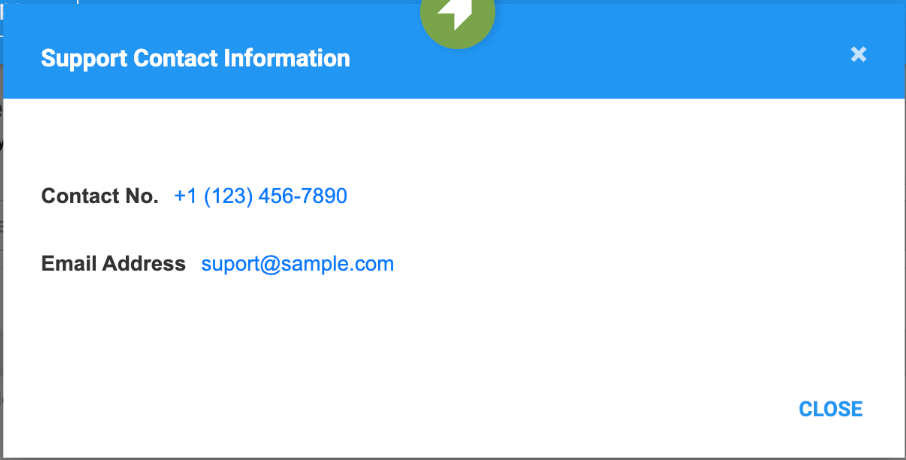
These details will be displayed when users click the Support button in the bottom left corner of the child account's portal.
Was this article helpful?
That’s Great!
Thank you for your feedback
Sorry! We couldn't be helpful
Thank you for your feedback
Feedback sent
We appreciate your effort and will try to fix the article