The Push Notifications Page allows you to create a configuration that can be used by the mobile to send a request.
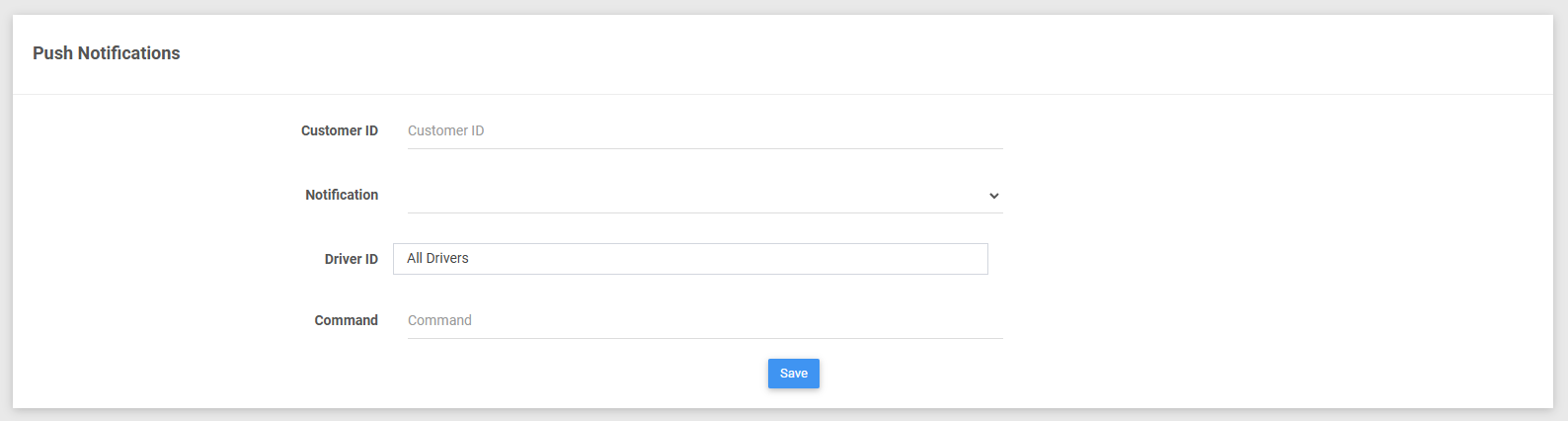
Push Notifications Configuration Details
1. Fill in the Customer ID input field. This field is required.

2. Select the Notification select filter field. This field is required.

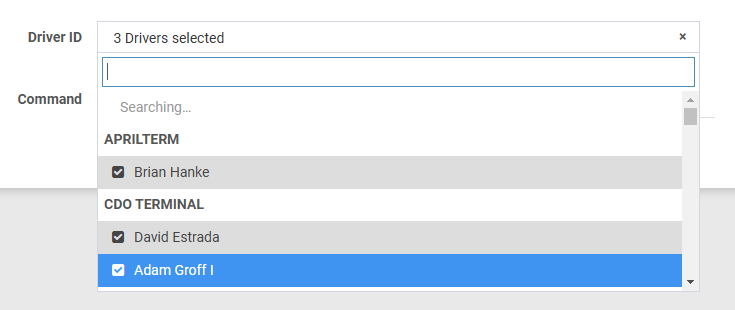
3. Select the Driver ID select filter field.
4. Fill in the Command input field.

5. Click the Save button to save configuration details.

Was this article helpful?
That’s Great!
Thank you for your feedback
Sorry! We couldn't be helpful
Thank you for your feedback
Feedback sent
We appreciate your effort and will try to fix the article