The Push Data Page allows you to set configuration for sending data changes (HTTP POSTs and PUTs) for specific HOS Server APIs to predefined partner URLs (push URLs). You can specify a URL to send updates to.
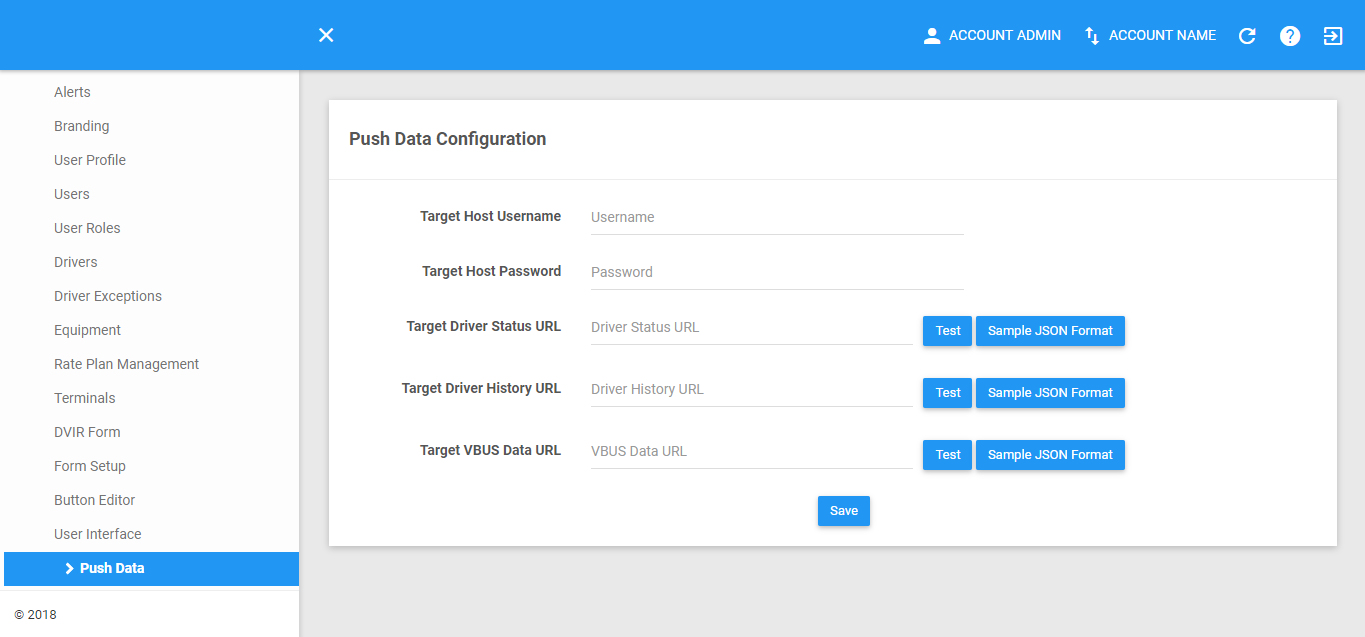
Editing Push Data Configuration
1. Fill in the Push Data Configuration details.
1.1 You can test the Target Driver Status URL, Target Driver History URL and Target VBUS Data URL by clicking on the Test button.

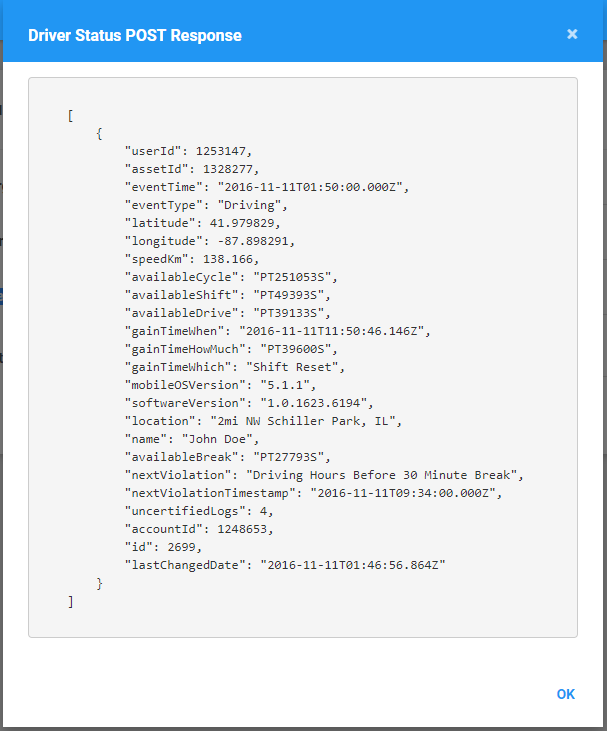
1.2 Click the Sample JSON Format button of the Target Driver Status URL to see a sample JSON formatted data that will be sent as a body of the request to the URL configured.

1.3 The Driver Status POST Response dialog will then appear.
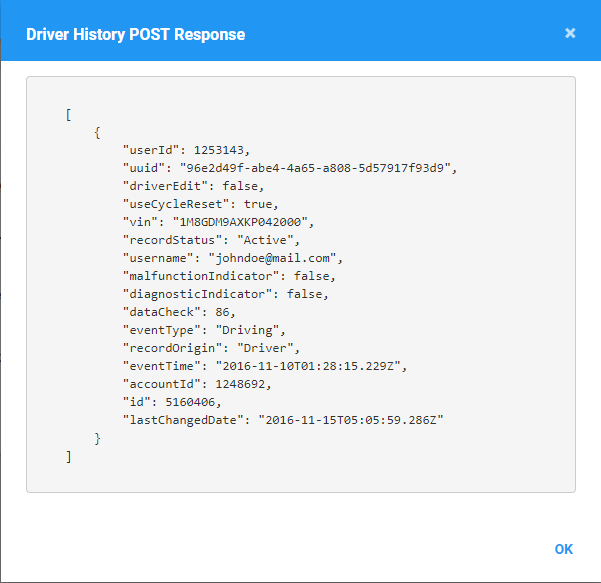
1.4 Click the Sample JSON Format button of the Target Driver History URL to see a sample JSON formatted data that will be sent as a body of the request to the URL configured.
1.5 The Driver History POST Response dialog will then appear.
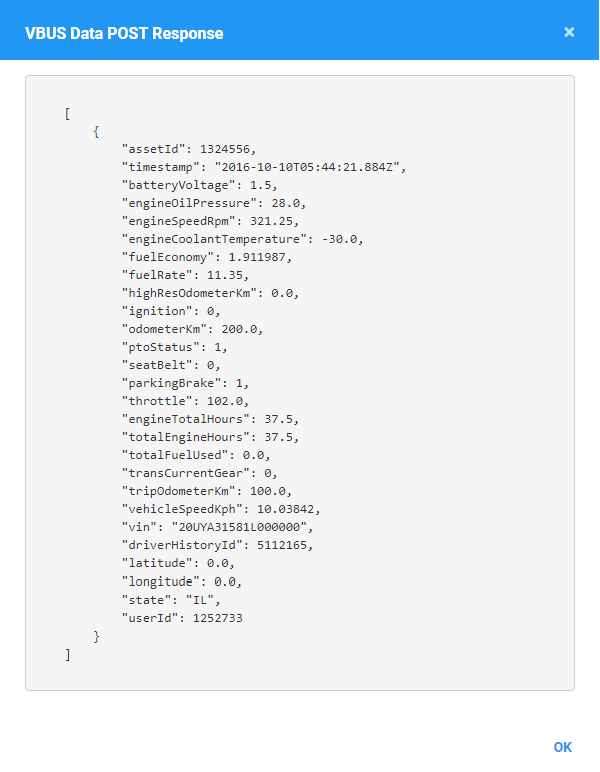
1.6 Click the Sample JSON Format button of the Target VBUS Data URL to see a sample JSON formatted data that will be sent as a body of the request to the URL configured.
1.7 The VBUS Data POST Response dialog will then appear.
2. Click the Save button to save the configuration.

Was this article helpful?
That’s Great!
Thank you for your feedback
Sorry! We couldn't be helpful
Thank you for your feedback
Feedback sent
We appreciate your effort and will try to fix the article