Este artículo no está disponible en Spanish. Consúltalo en English.
The Driver Exceptions page is where you can set to what exception that would appear both app and portal dashboard. Enabling and disabling exception will be done on Driver Exceptions page.
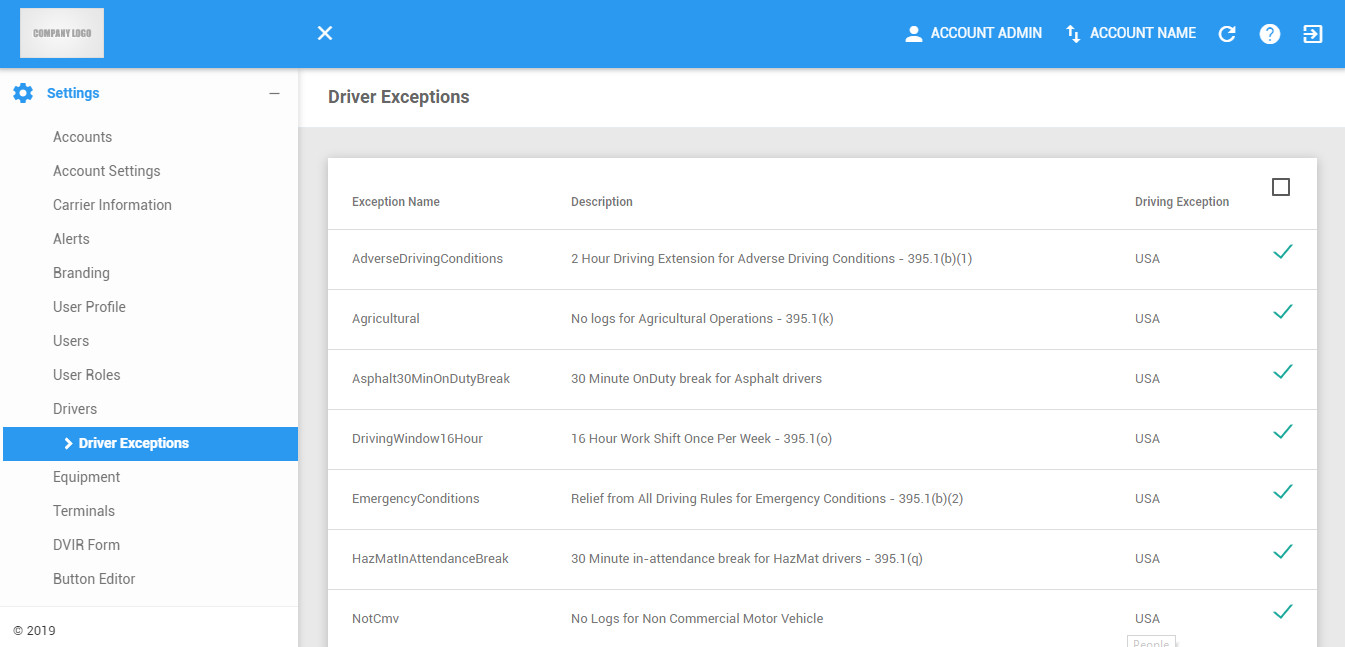
The Driver Exceptions page can be manually refreshed using the Refresh button within the site header.

Editing Exceptions
1. Select an exception by checking the checkbox representing the selected exception.

2. Select all exception by checking the checkbox at the topmost of the table.
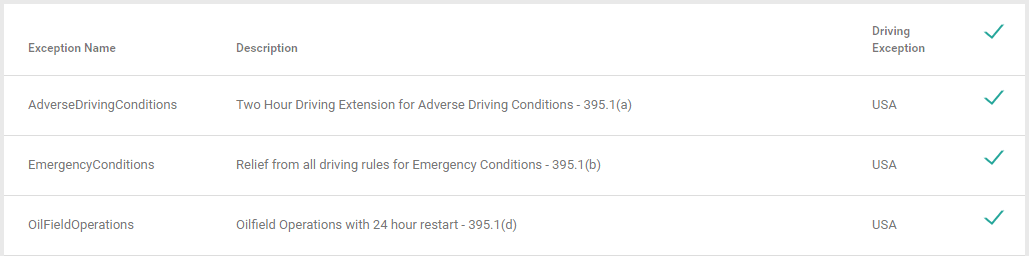
3. Click the Save Exception button to save the selected exceptions.

Was this article helpful?
That’s Great!
Thank you for your feedback
Sorry! We couldn't be helpful
Thank you for your feedback
Feedback sent
We appreciate your effort and will try to fix the article