To delete a geofence on the web application:
1. Login to the Azuga Fleet Web application.
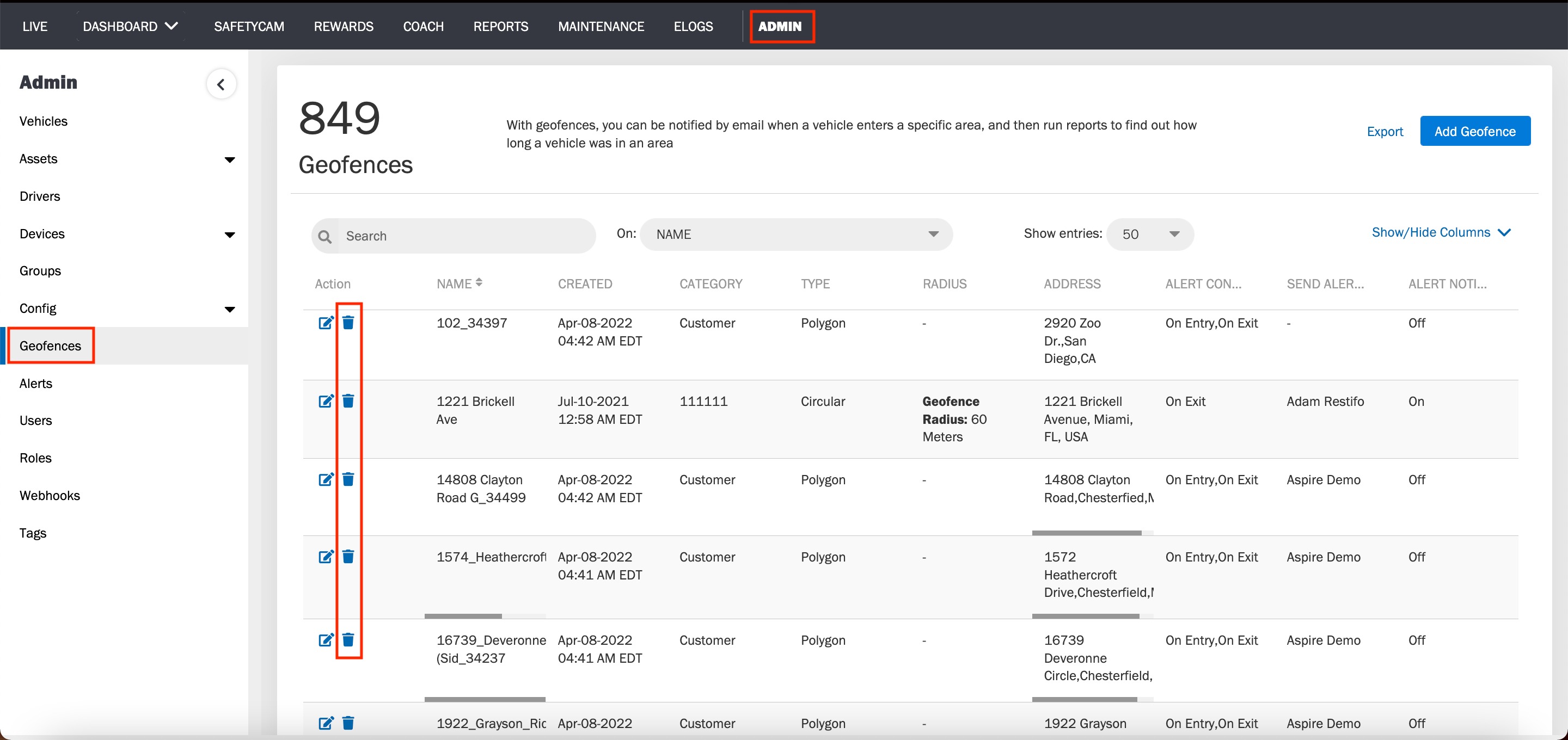
2. Navigate to the Geofences page, under the ADMIN tab. You will see a table displaying the details of the existing geofences present in your account.
3. Click the delete icon corresponding to the geofence you wish to delete.
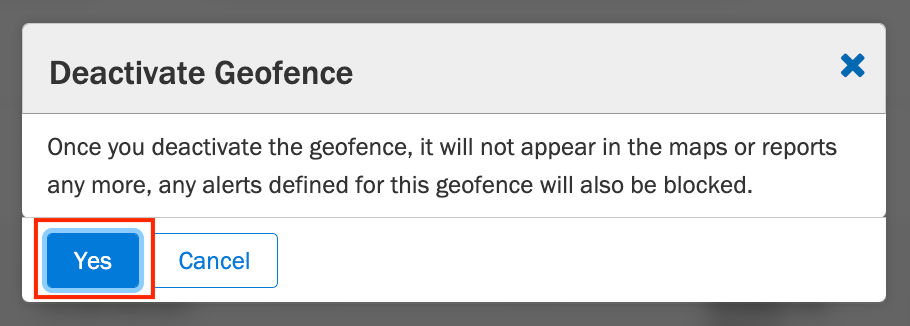
4. A confirmation window pops up and hit Yes to delete the geofence.
Was this article helpful?
That’s Great!
Thank you for your feedback
Sorry! We couldn't be helpful
Thank you for your feedback
Feedback sent
We appreciate your effort and will try to fix the article