Este artículo no está disponible en Spanish. Consúltalo en English.
To change your current timezone on the web application:
1. Login to the Azuga Fleet Web application.
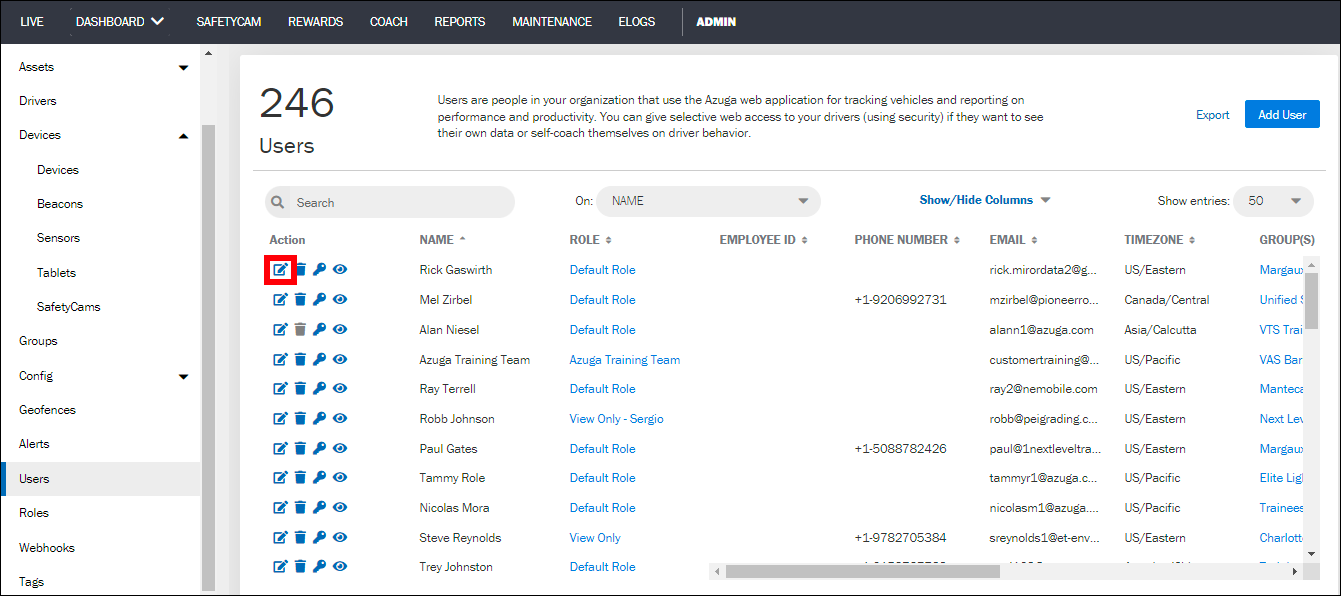
2. Navigate to the Users page present under the ADMIN tab. This page displays the list of users present in your account.
3. Click on the pencil icon corresponding to your name. Your existing user details appear on the page.
4. Select the Time Zone you wish to associate with your account.
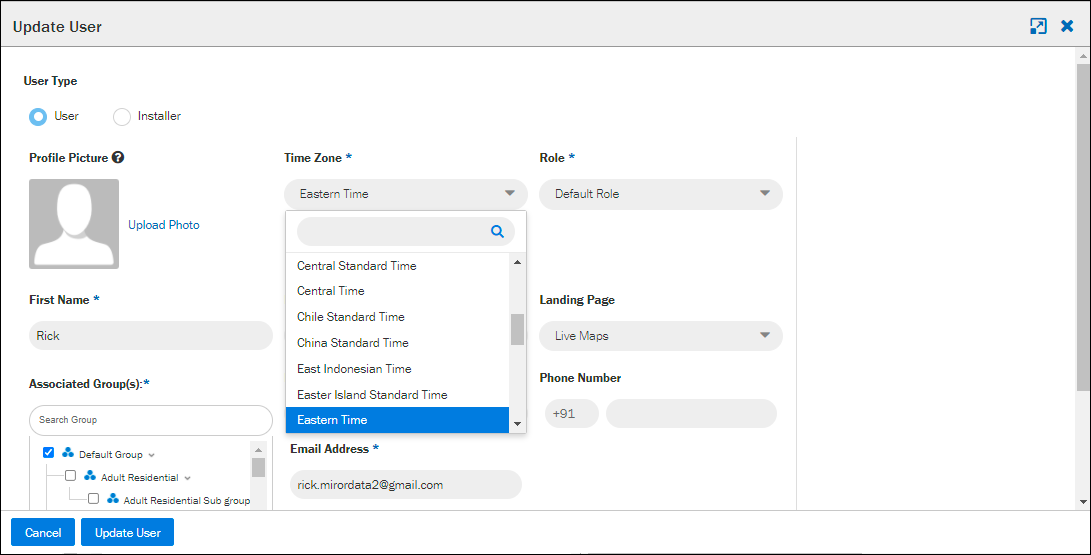
- Click Update User.
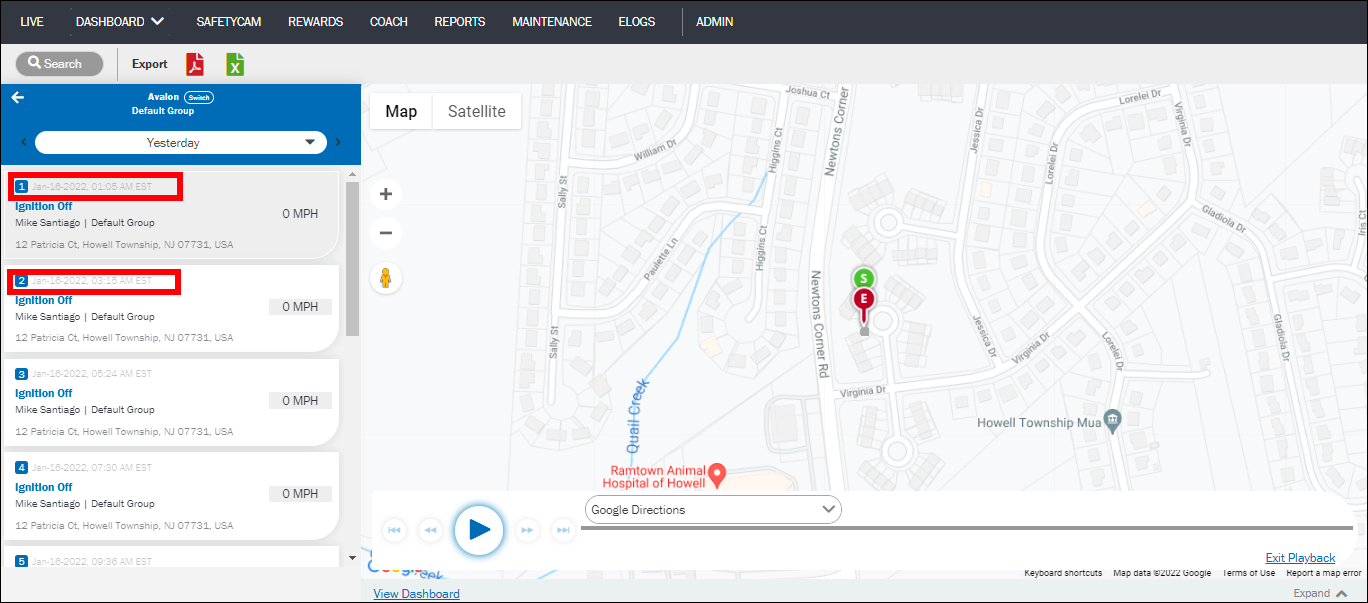
Once you update your timezone, all timestamps of existing data in reports and alerts will also get updated to this timezone.
Was this article helpful?
That’s Great!
Thank you for your feedback
Sorry! We couldn't be helpful
Thank you for your feedback
Feedback sent
We appreciate your effort and will try to fix the article