To create a new device configuration on the web application:
1. Log in to the Azuga Fleet Web application.
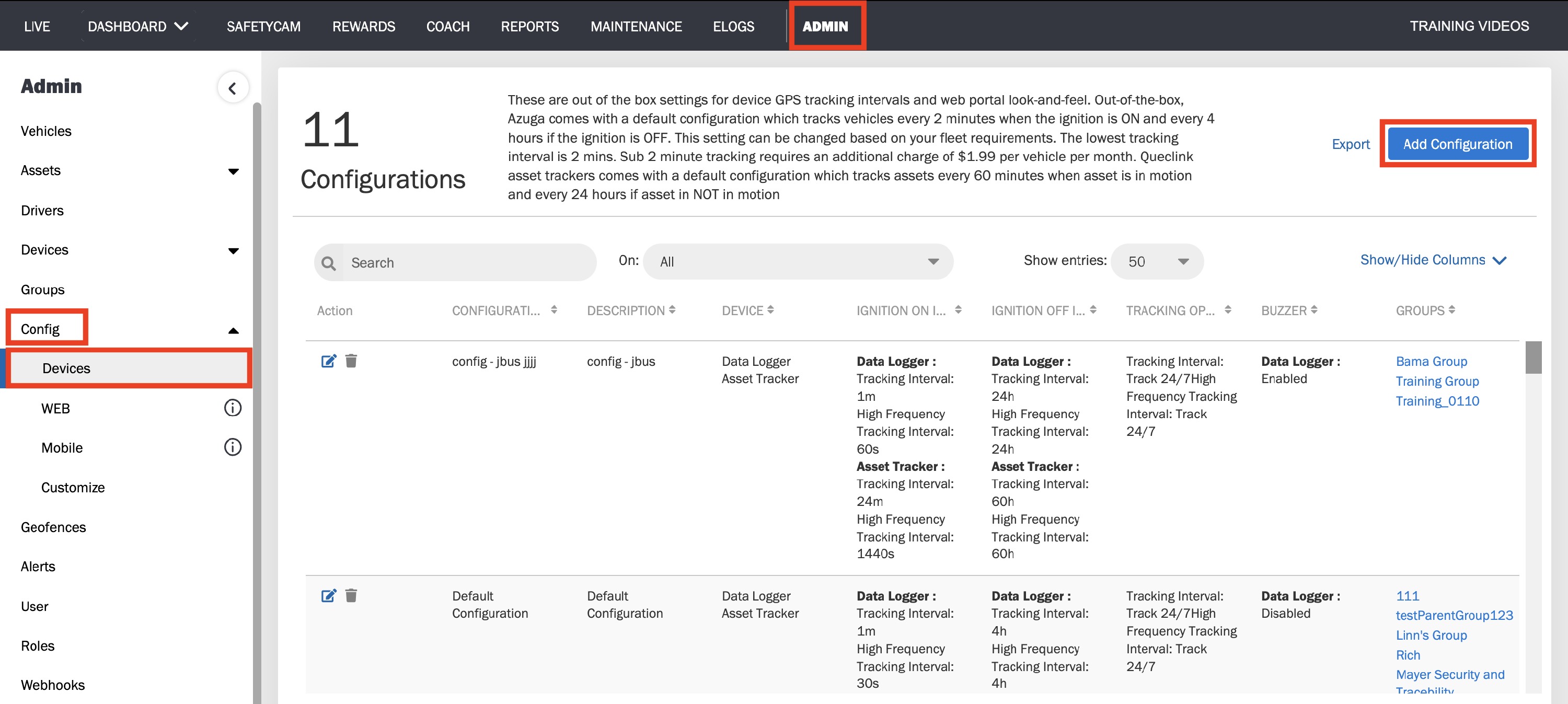
2. Navigate to the Config page present under the ADMIN tab.
3. Click Devices.
4. Click Add Configuration.
5. Enter the Name and the Description of the configuration.
6. Under Data Logger Configuration, set the Tracking Interval (for Ignition ON and OFF states) and the tracking intervals under Work Hours (24*7 or Custom Hours).
7. Click on Submit to save the configuration.
Was this article helpful?
That’s Great!
Thank you for your feedback
Sorry! We couldn't be helpful
Thank you for your feedback
Feedback sent
We appreciate your effort and will try to fix the article