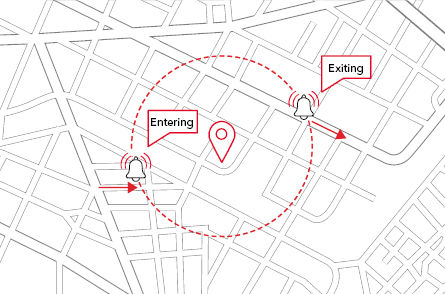
A geofence is a virtual boundary around a geographical area. You can create geofences for different zones such as head office, client location, and home.
A geofence has a defined radius. Every time a vehicle enters or exits a geofence, it is logged in the Azuga application. With the help of geofences, you can determine how long a vehicle was in a particular zone.
While creating a geofence, you can also set alerts that inform you when a vehicle enters/exits that geofence. The alert helps you to determine how long your vehicle was in a particular area.
A geofence can either be circular or polygonal.
For a video explanation of the Geofences section, please refer to the following link:
Was this article helpful?
That’s Great!
Thank you for your feedback
Sorry! We couldn't be helpful
Thank you for your feedback
Feedback sent
We appreciate your effort and will try to fix the article