A Device cannot be moved directly between groups. Instead, you must move the associated vehicle or asset, which will move the device as well.
Steps to move a vehicle/asset from one group to another:
- Go to the Admin Module
Navigate to the Admin section in the portal.
- Select the Devices Tab
Click on the "Devices" tab to view the list of devices.
- Click on the Vehicle/Asset name associated with the Device
Click on the Vehicle/Asset name associated with the device for which the group movement is needed.
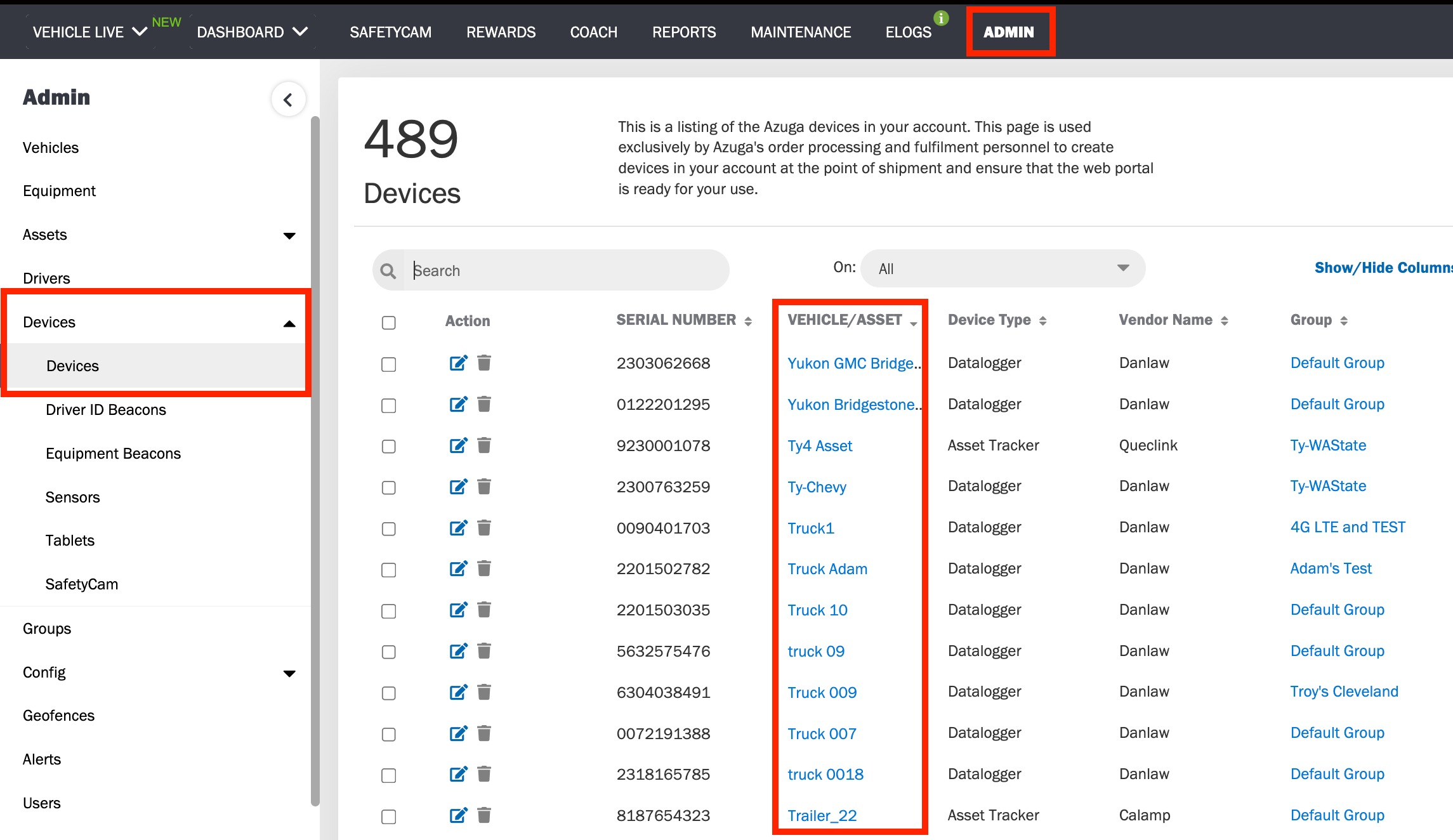
- Edit the Vehicle/Asset
Click on the Edit icon.

- Select a Group
On the vehicle/asset edit page, choose the desired group from the dropdown menu.
- Save Changes
Click the "Submit" button to move the vehicle/asset to the selected group. This action will also move the associated device accordingly.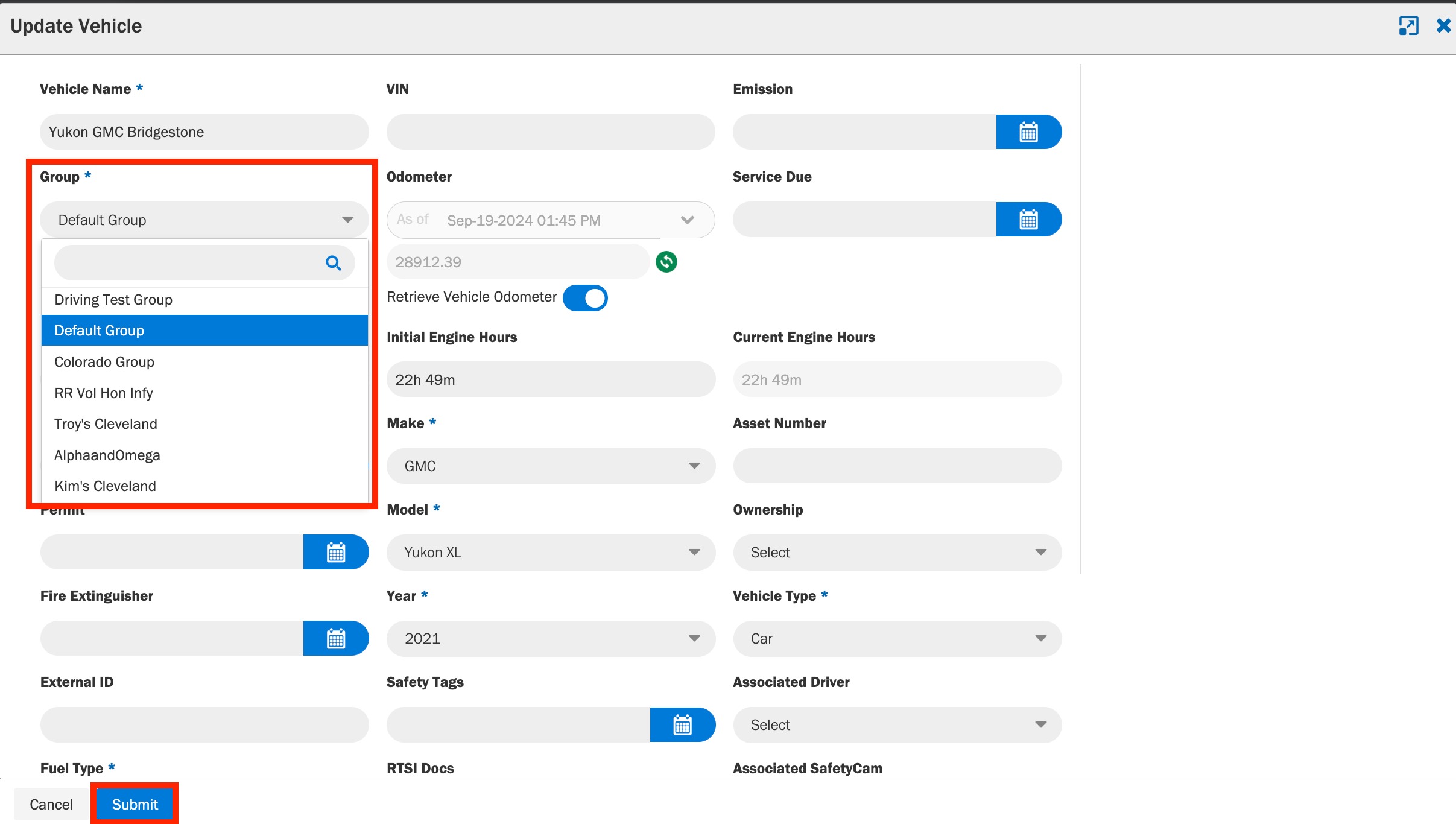
Was this article helpful?
That’s Great!
Thank you for your feedback
Sorry! We couldn't be helpful
Thank you for your feedback
Feedback sent
We appreciate your effort and will try to fix the article