To edit a user on the web application:
1. Log in to the Azuga Web application
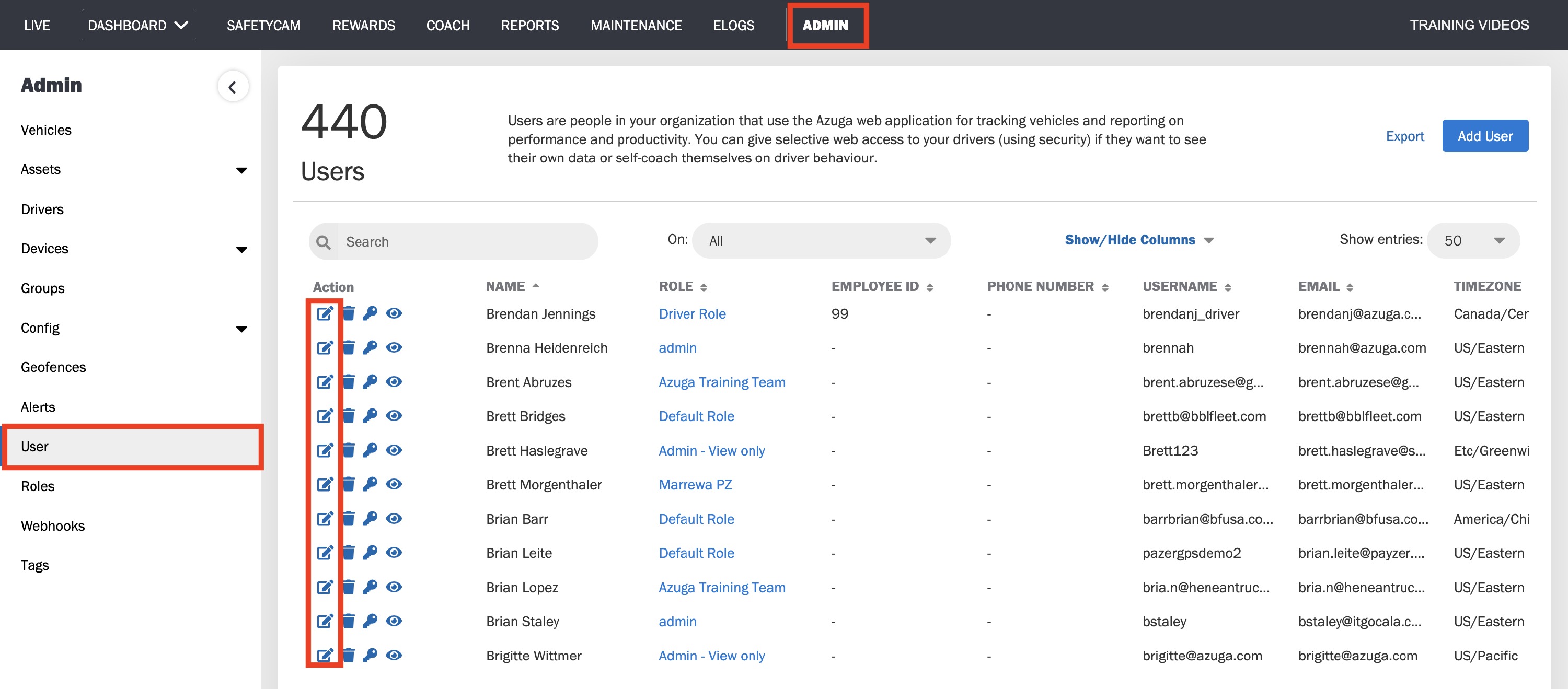
2. Navigate to the Users page present under the ADMIN tab.
3. Click on the edit icon corresponding to the user you wish to edit.
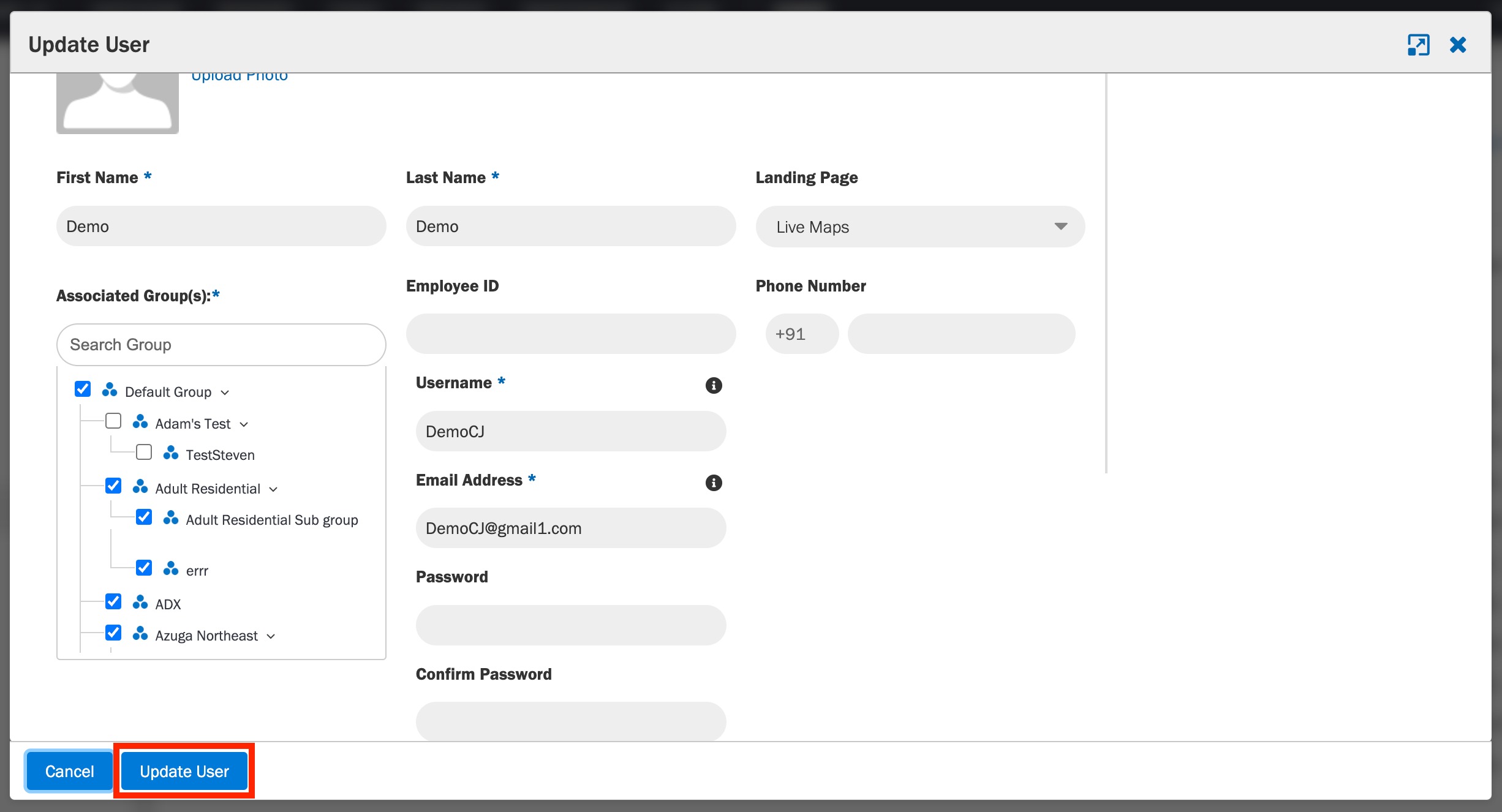
4. Update the form with the appropriate details.
5. Click Update User.

Was this article helpful?
That’s Great!
Thank you for your feedback
Sorry! We couldn't be helpful
Thank you for your feedback
Feedback sent
We appreciate your effort and will try to fix the article