To generate a Track-Me link:
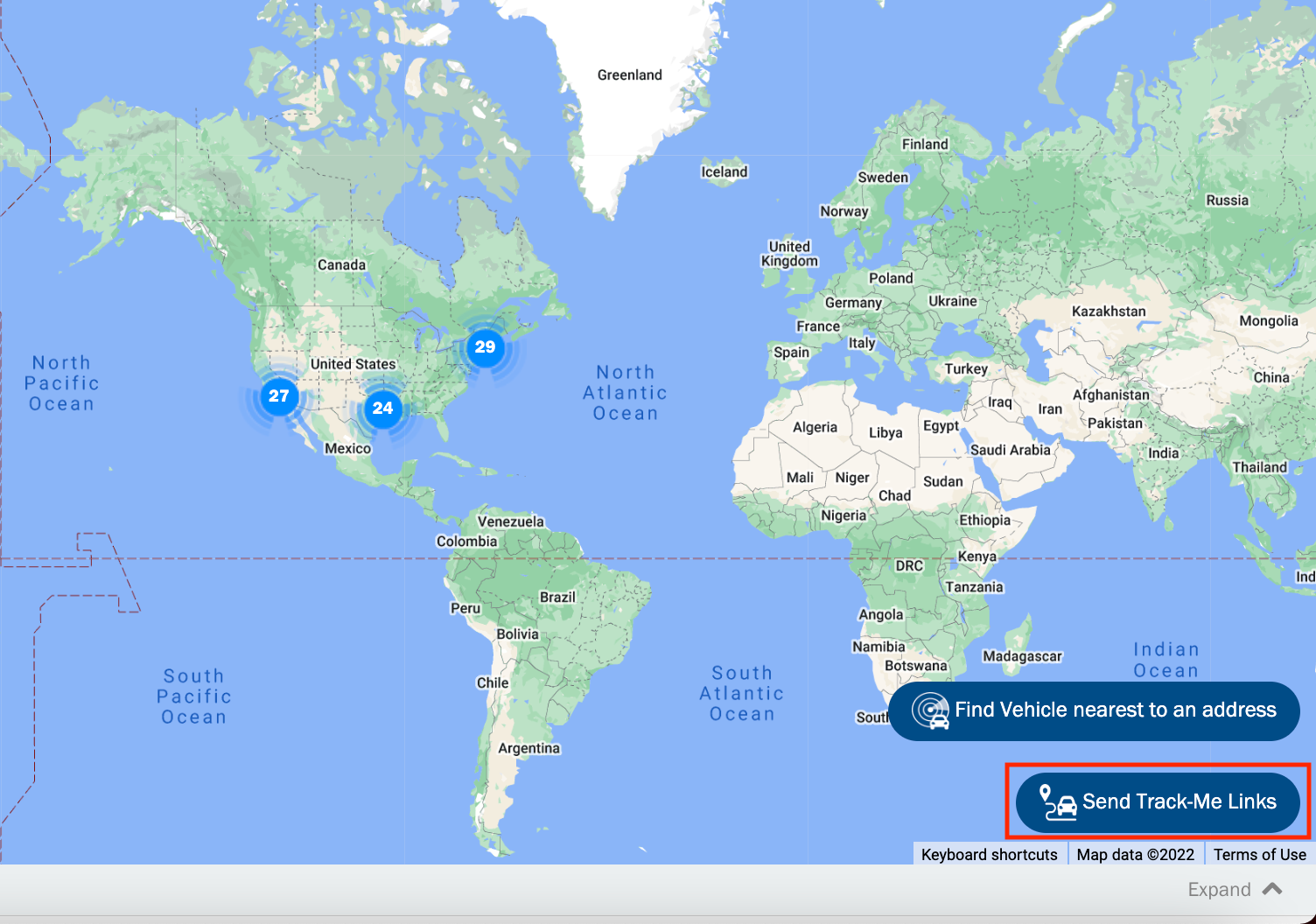
a. Navigate to the Live map page, click the Send Track-Me Links button.
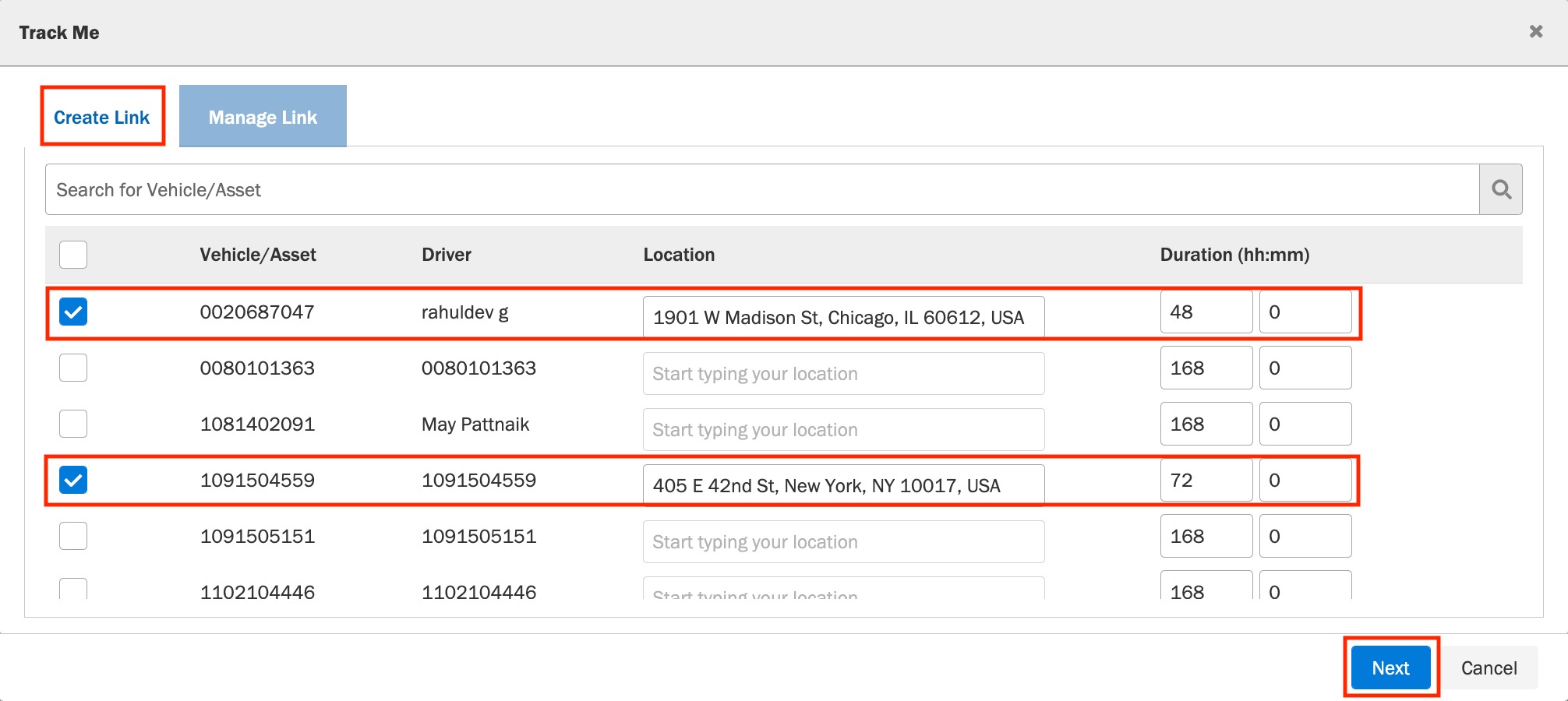
b. Select the Create Link tab.
c. Select the vehicle/vehicle's you wish to create Track-Me links for and enter the destination address.
d. Enter the duration to keep the link active.
e. Click Next.
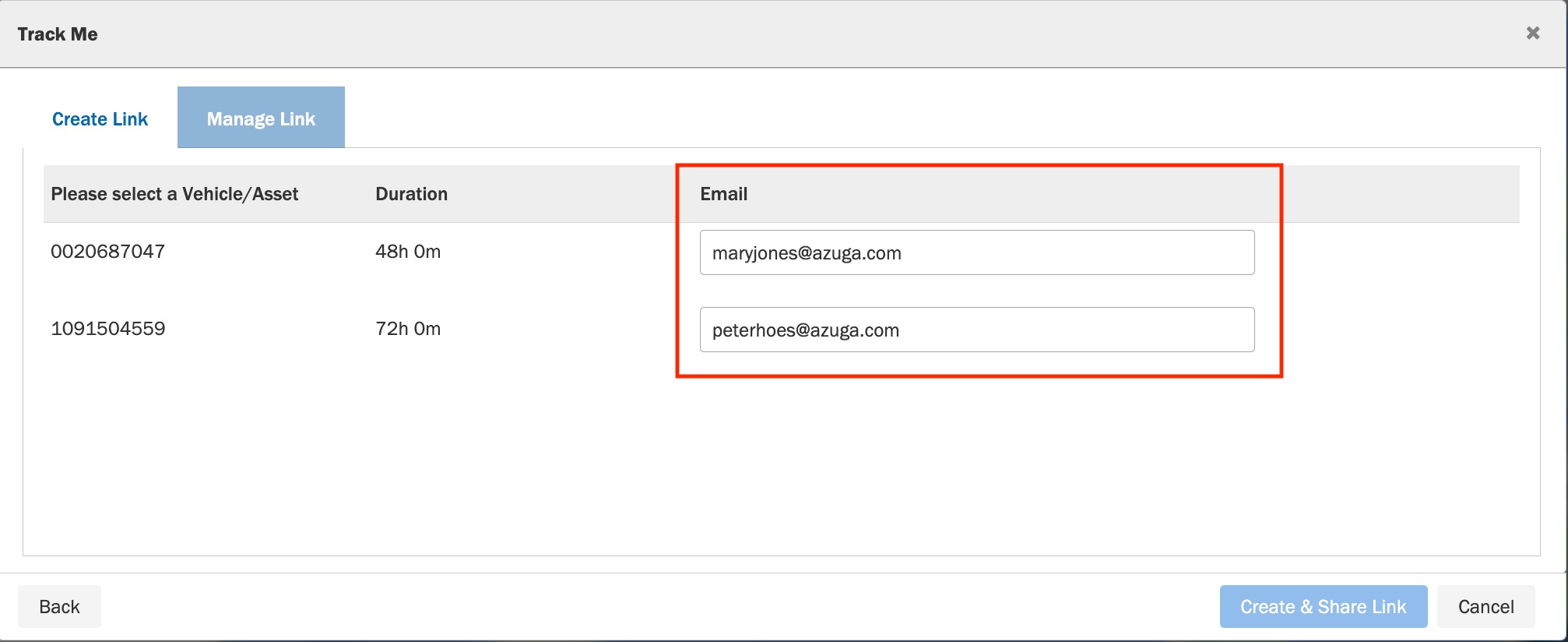
f. Enter the email addresses with which the link is to be shared.
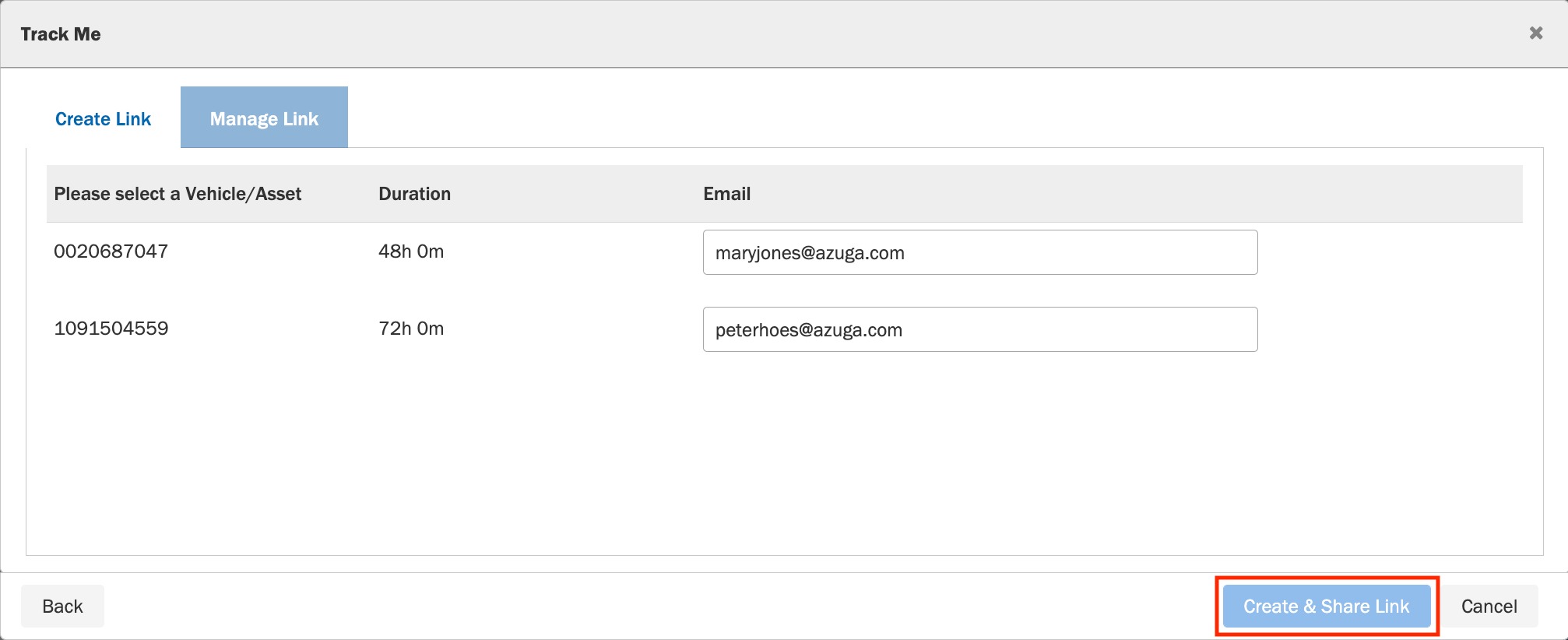
f. Click Create & Share Link to send the link to the mentioned email addresses. You can also copy the link to clipboard and paste it directly into any application.
Prerequisites: You should have the Track-Me package enabled on your account.
Was this article helpful?
That’s Great!
Thank you for your feedback
Sorry! We couldn't be helpful
Thank you for your feedback
Feedback sent
We appreciate your effort and will try to fix the article