To Create a Group Chat:
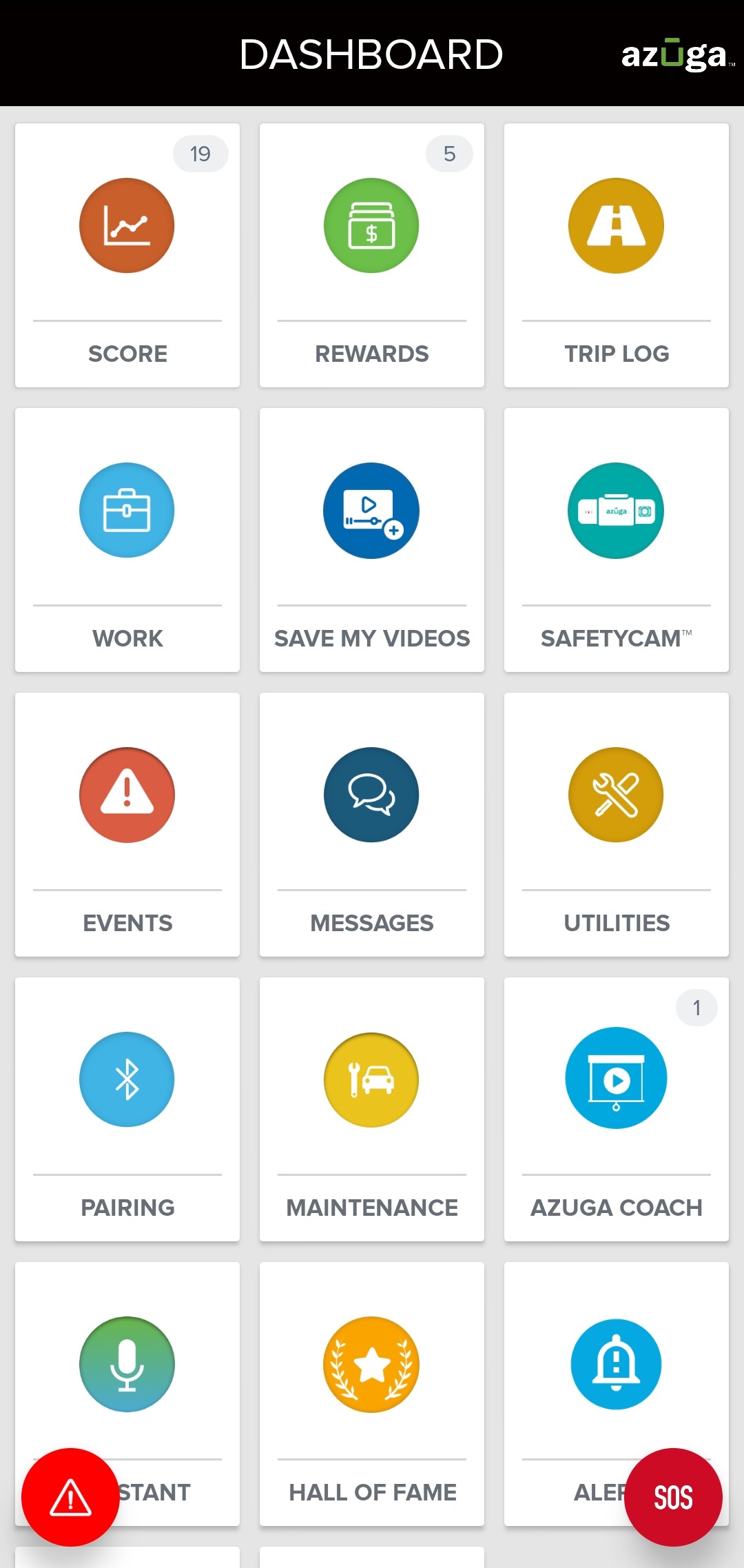
1. From the DASHBOARD, tap MESSAGES.
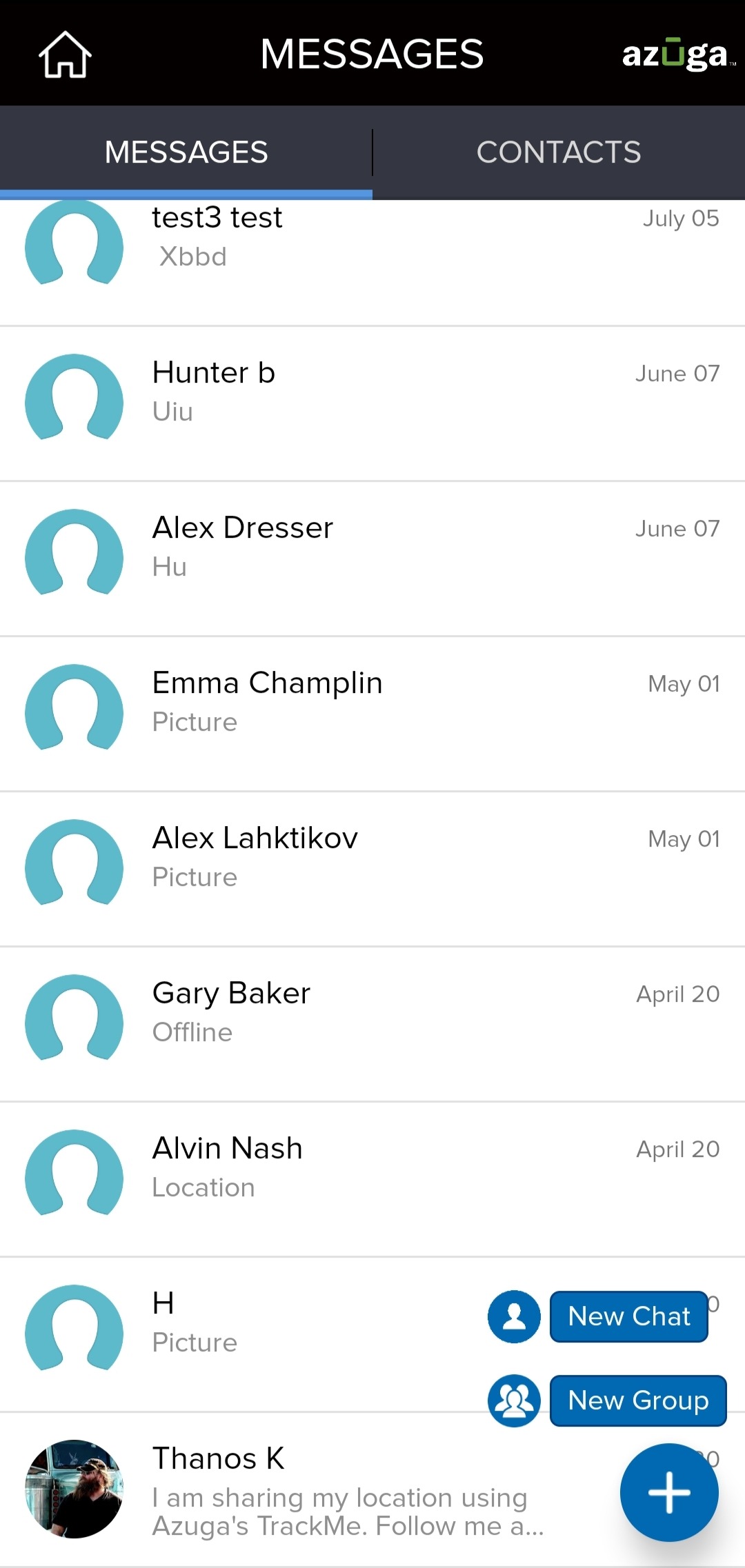
2. Tap the Plus (+) icon in the bottom-right corner of the screen and select New Group.
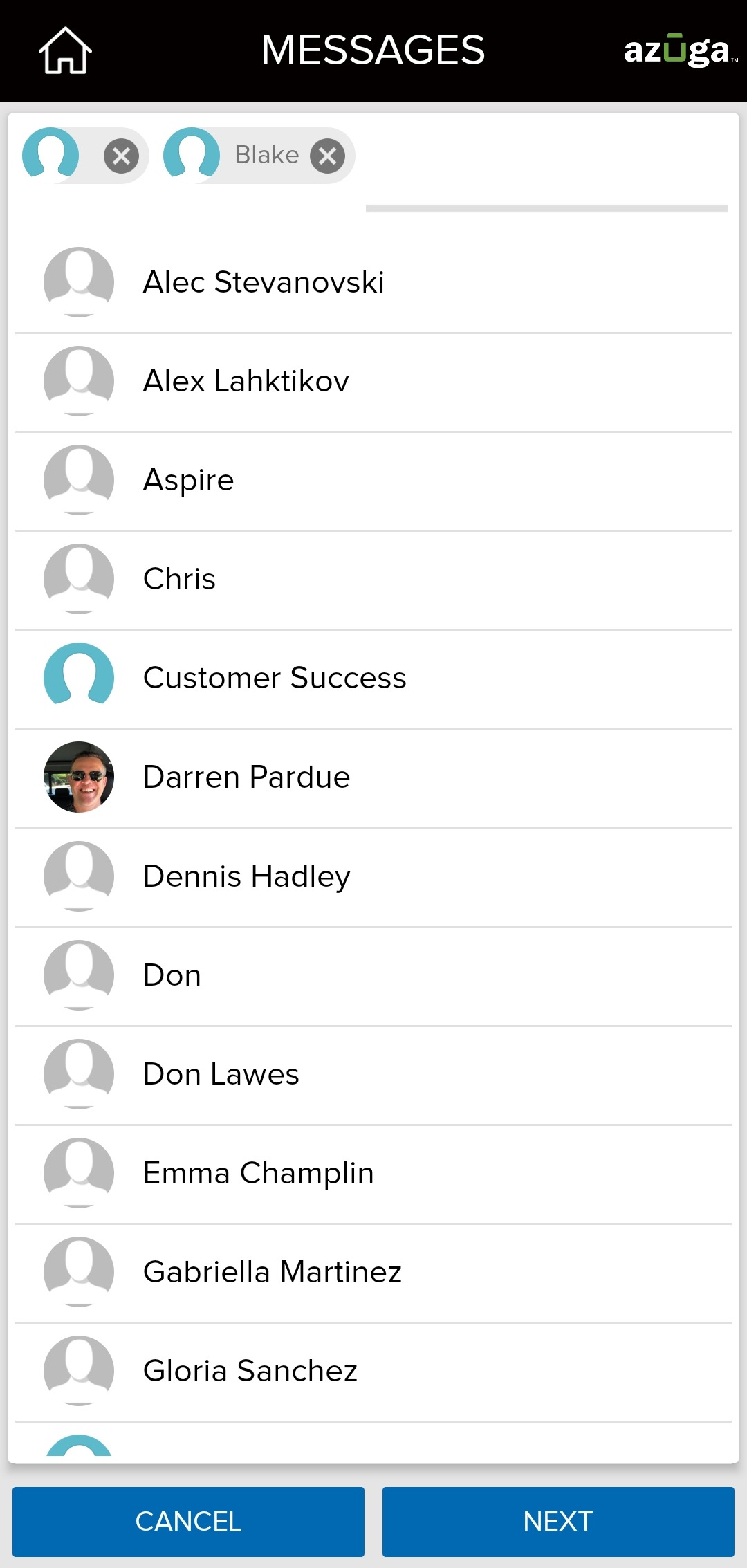
3. Select the contacts you wish to add to the group and tap NEXT. You can add a maximum of 25 contacts in a group.
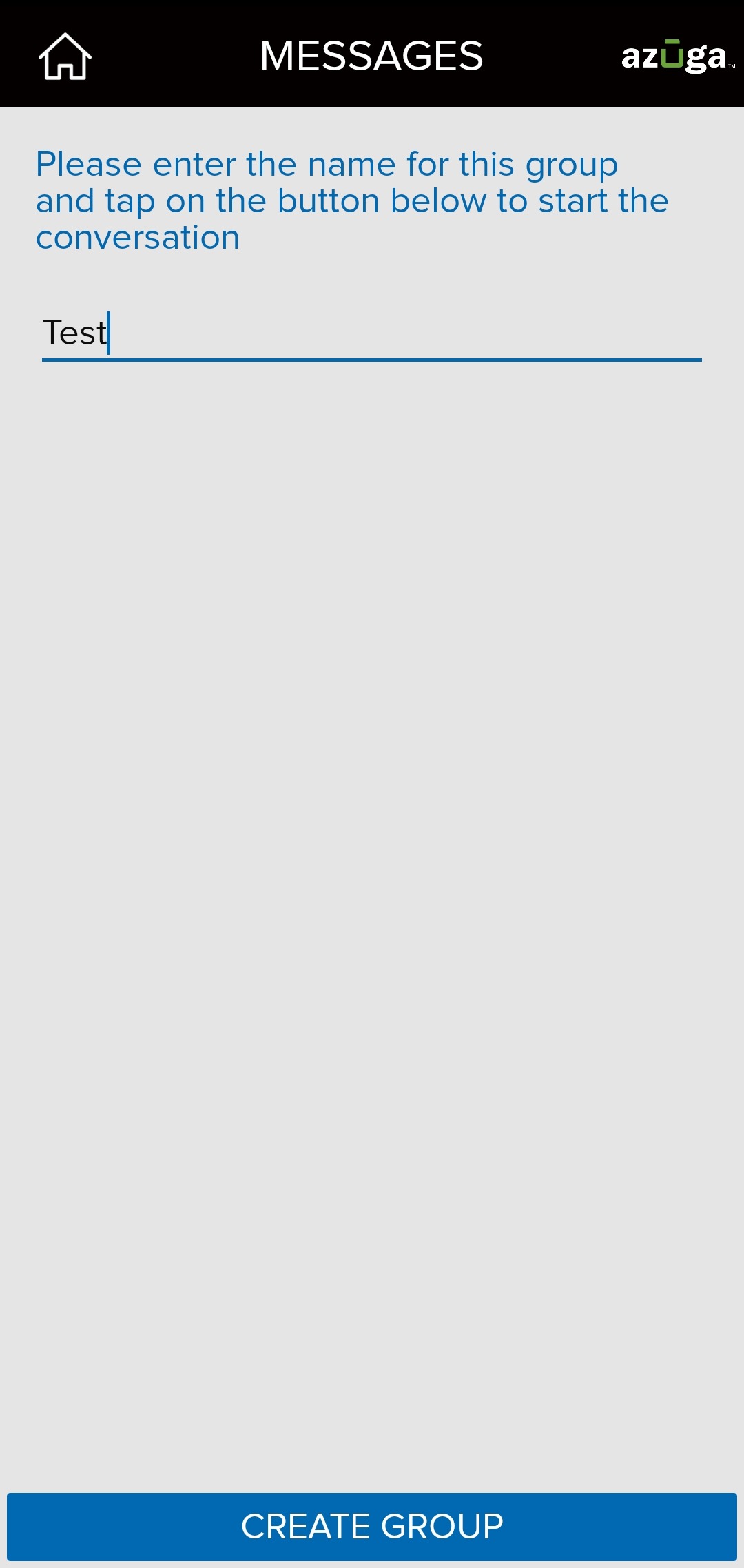
4. Enter a name for the group and tap CREATE GROUP.
Note: You will be unable to retrieve this group later if you do not start a conversation in the group as soon as the group gets created.
Was this article helpful?
That’s Great!
Thank you for your feedback
Sorry! We couldn't be helpful
Thank you for your feedback
Feedback sent
We appreciate your effort and will try to fix the article