Este artículo no está disponible en Spanish. Consúltalo en English.
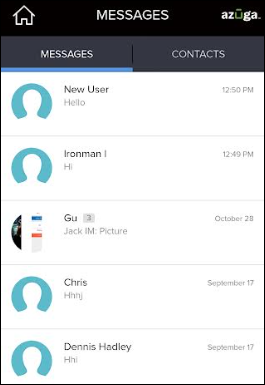
Messaging is a feature set that allows you to send and receive messages directly from the Azuga app to supervisors and drivers in your organization. You can also send attachments such as photos, videos, and locations.
The Messages screen contains two tabs:
- Chats - You can see ongoing conversations under this tab and access any of them by tapping on an individual conversation
- Contacts - This tab helps you find the contact you wish to start a conversation with.
Was this article helpful?
That’s Great!
Thank you for your feedback
Sorry! We couldn't be helpful
Thank you for your feedback
Feedback sent
We appreciate your effort and will try to fix the article