Este artículo no está disponible en Spanish. Consúltalo en English.
To Submit a Lead:
1. Tap Utilities from your Dashboard.
2. Tap Submit a Lead.
3. Read the instructions and tap Accept.
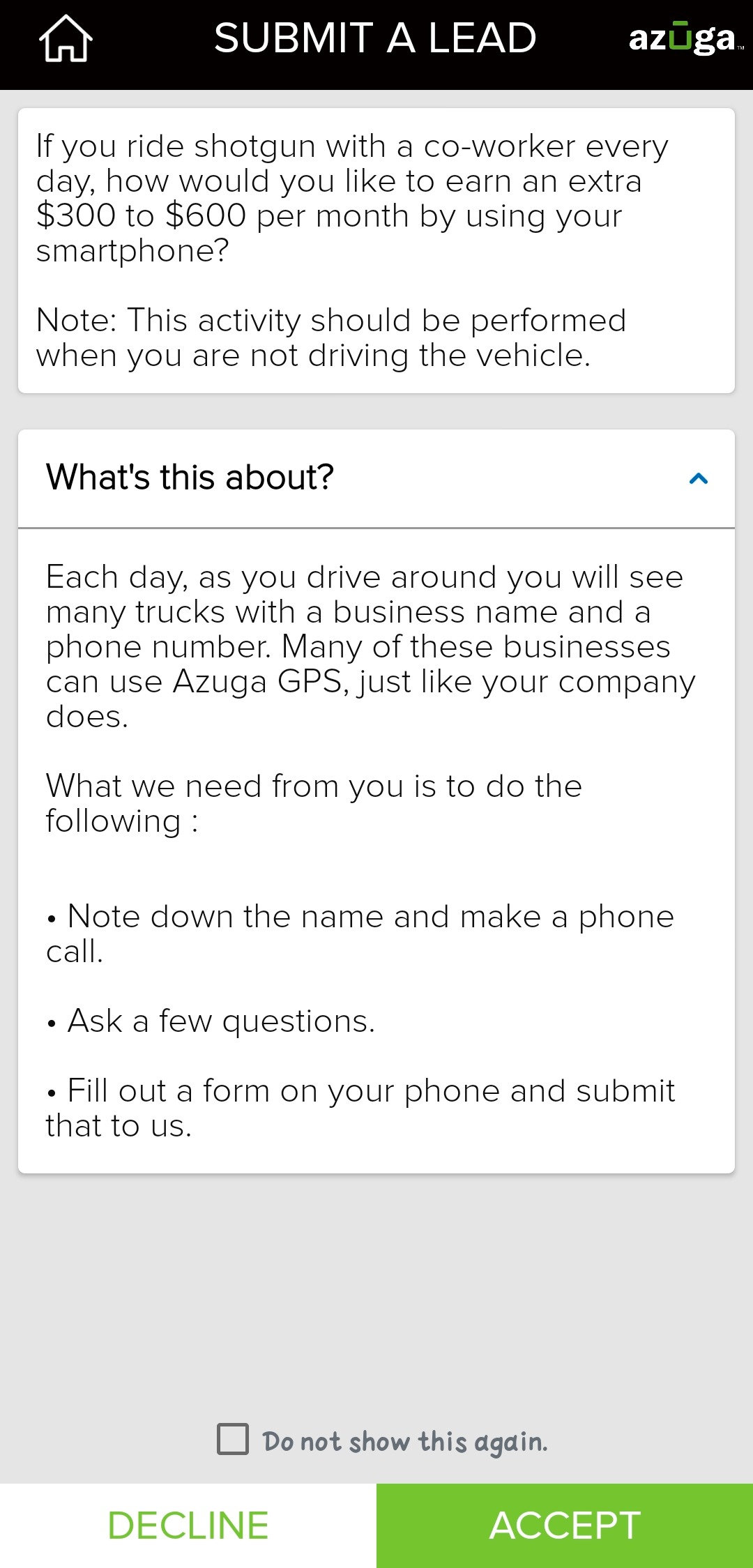
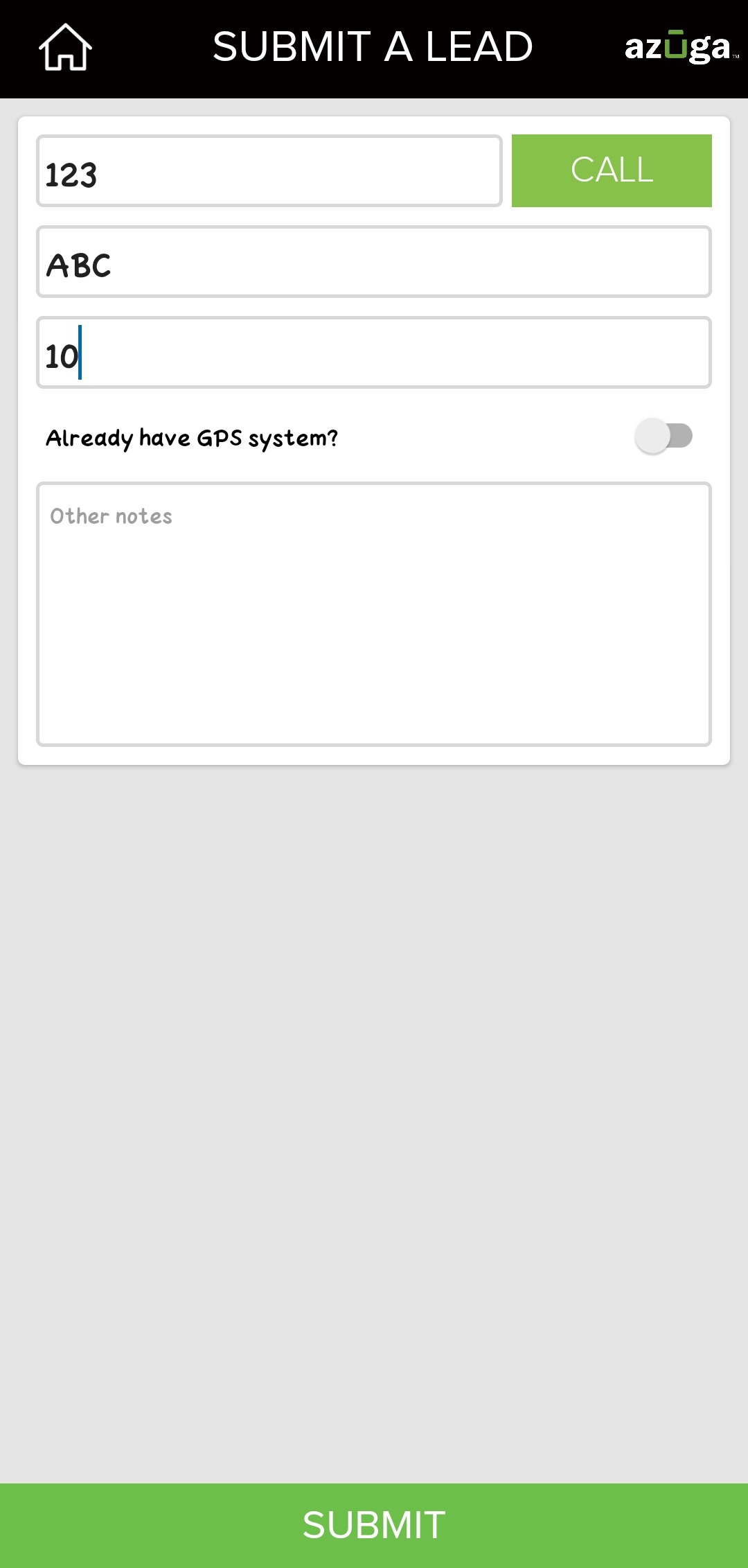
4. Enter the phone number and tap the Call button to make the call.
5. Fill out the form with the information obtained.
6. Tap Submit.
Was this article helpful?
That’s Great!
Thank you for your feedback
Sorry! We couldn't be helpful
Thank you for your feedback
Feedback sent
We appreciate your effort and will try to fix the article