Yes. To enable satellite view:
- From your Dashboard, tap on the Settings tile.
- Under the Map Preference section, toggle the switch beside the field ‘Show Satellite View’.
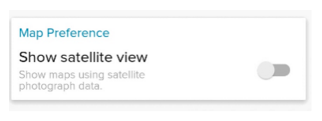
With this enabled, maps across the app will now use satellite imagery. If you want to move to the default view, toggle the switch to disable.
Was this article helpful?
That’s Great!
Thank you for your feedback
Sorry! We couldn't be helpful
Thank you for your feedback
Feedback sent
We appreciate your effort and will try to fix the article