Cet article n'est pas disponible en French. Affichez-la en English
Yes. You can use a custom style for Maps and can set the color schemes.
To change the theme of the map:
1. Tap the Settings tile from your Dashboard.
2. Under Map Preference, toggle the Set Map Theme Automatically switch to OFF (i.e. disable this functionality).
3. Tap the Choose Map Theme button.
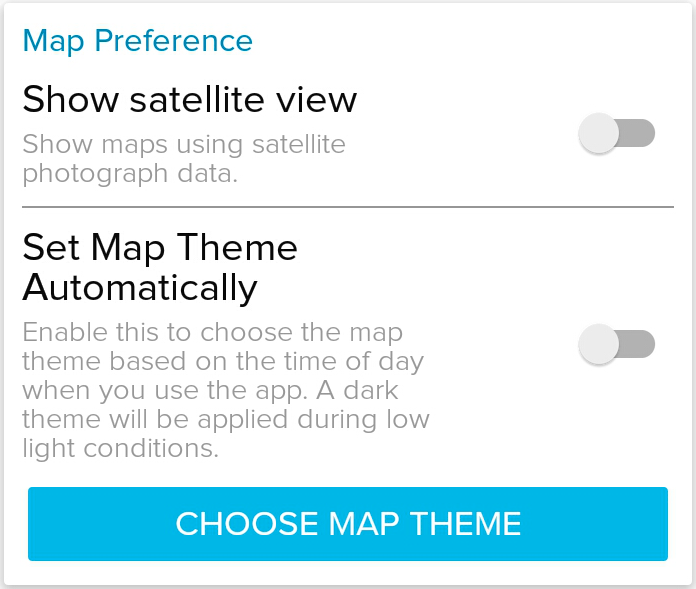
4. Select a theme from the list
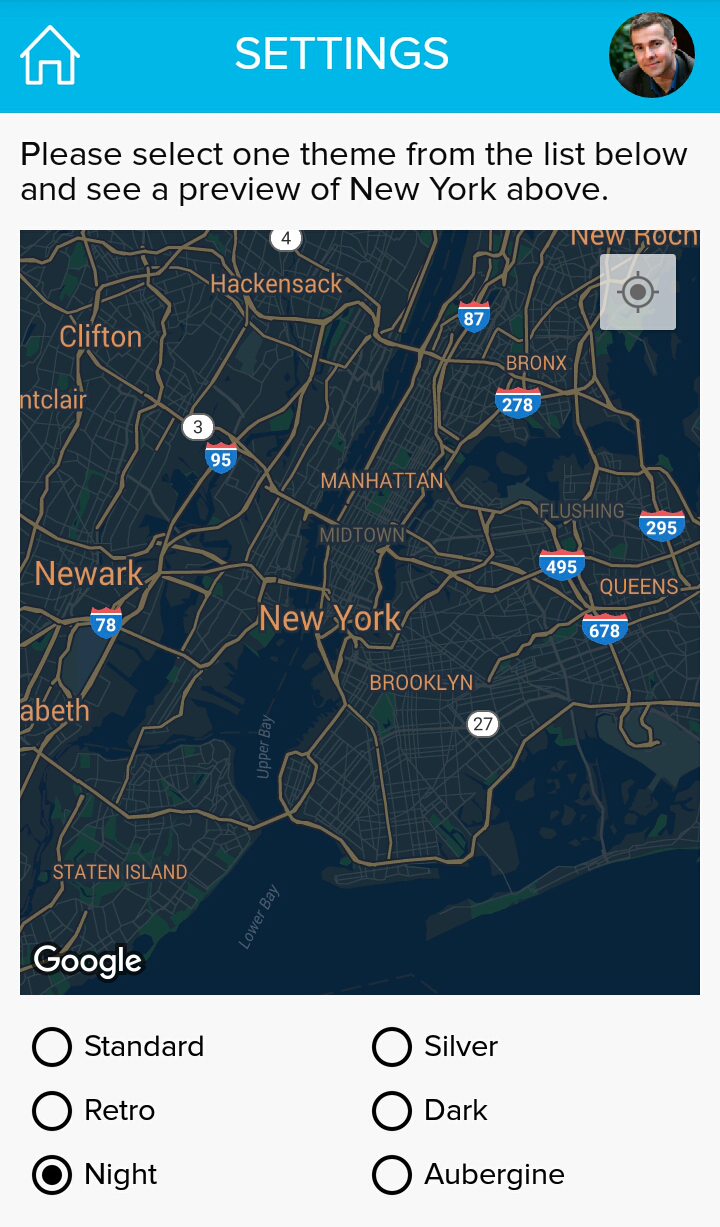
If you enable the Set Map Theme Automatically option, the app will automatically adjust the theme based on the time of the day.
Was this article helpful?
That’s Great!
Thank you for your feedback
Sorry! We couldn't be helpful
Thank you for your feedback
Feedback sent
We appreciate your effort and will try to fix the article