Driver History: Review Driver Specifications Across Your Fleet
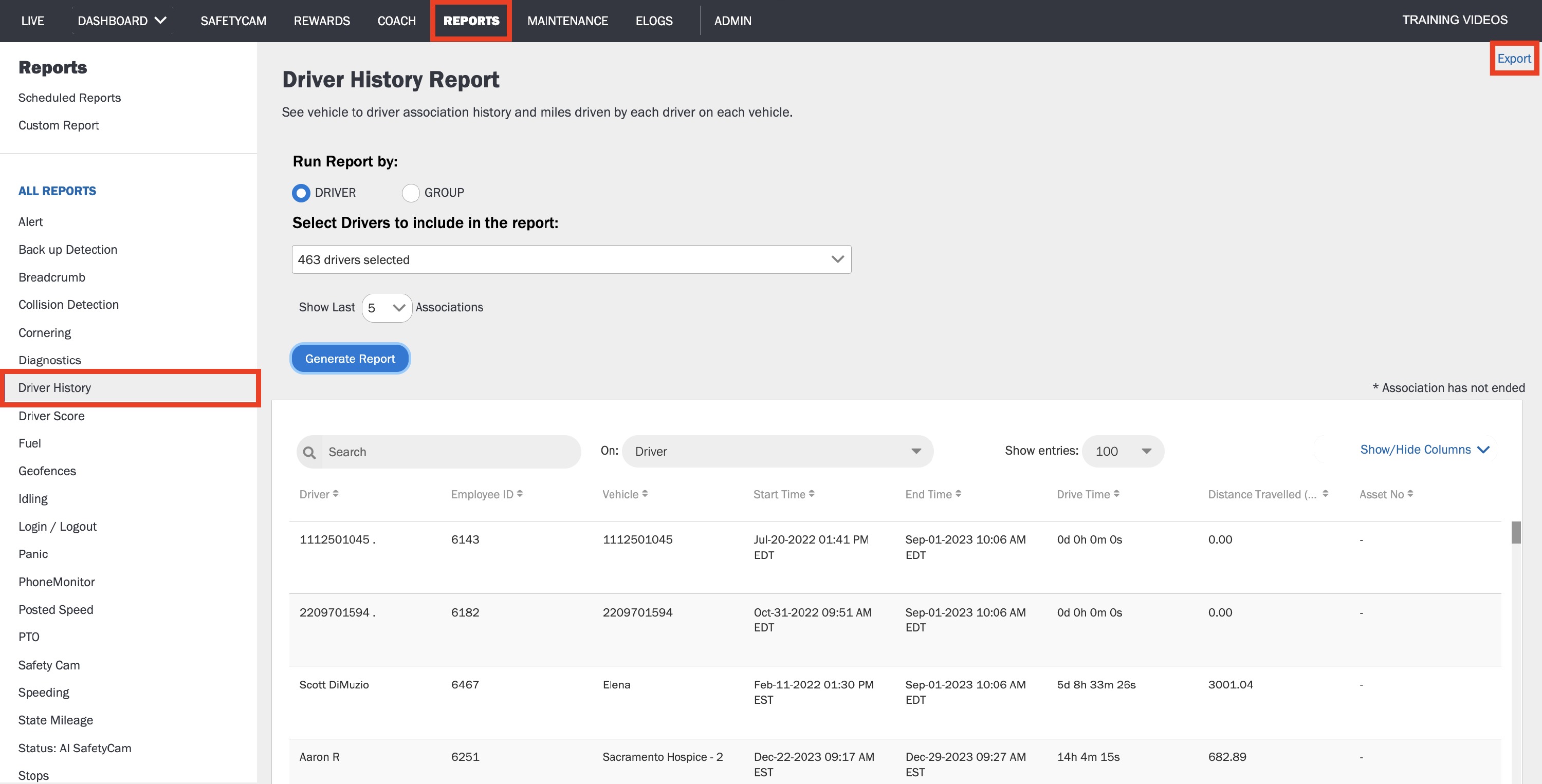
The Driver History Report shows the drive time and distance travelled for each of your drivers after they are associated with a vehicle. This report includes: Driver name, Vehicle name, Start Time, End Time - when the driver and vehicle are no longer associated, Drive Time in total and Distance Travelled.
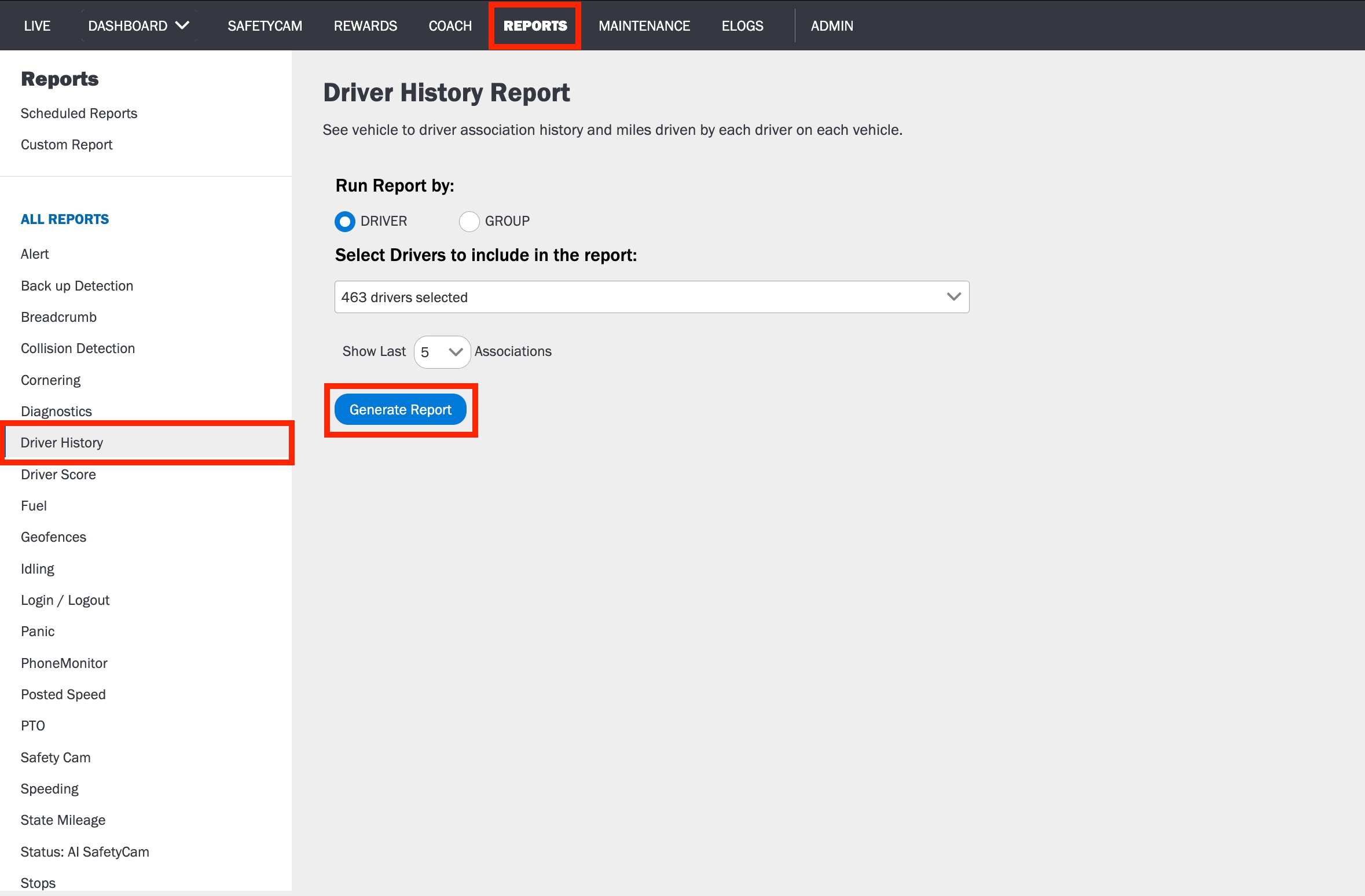
To Generate a Driver History Report:
1. Log in to the Azuga Web application.
2. Navigate to the Driver History page, under the Reports tab.
3. Select Driver or Group to run report by.
4. Select the Drivers/Groups you want to include in the report.
5. Click Generate Report.
To export the Report in PDF or XLSX format to your system, click the Export button.
Was this article helpful?
That’s Great!
Thank you for your feedback
Sorry! We couldn't be helpful
Thank you for your feedback
Feedback sent
We appreciate your effort and will try to fix the article