The WWW (Where Was Waldo - Who Was Where) report helps you determine where your vehicle was during a specified period. It also helps you determine which all vehicles were present at a particular address for a specified time period.
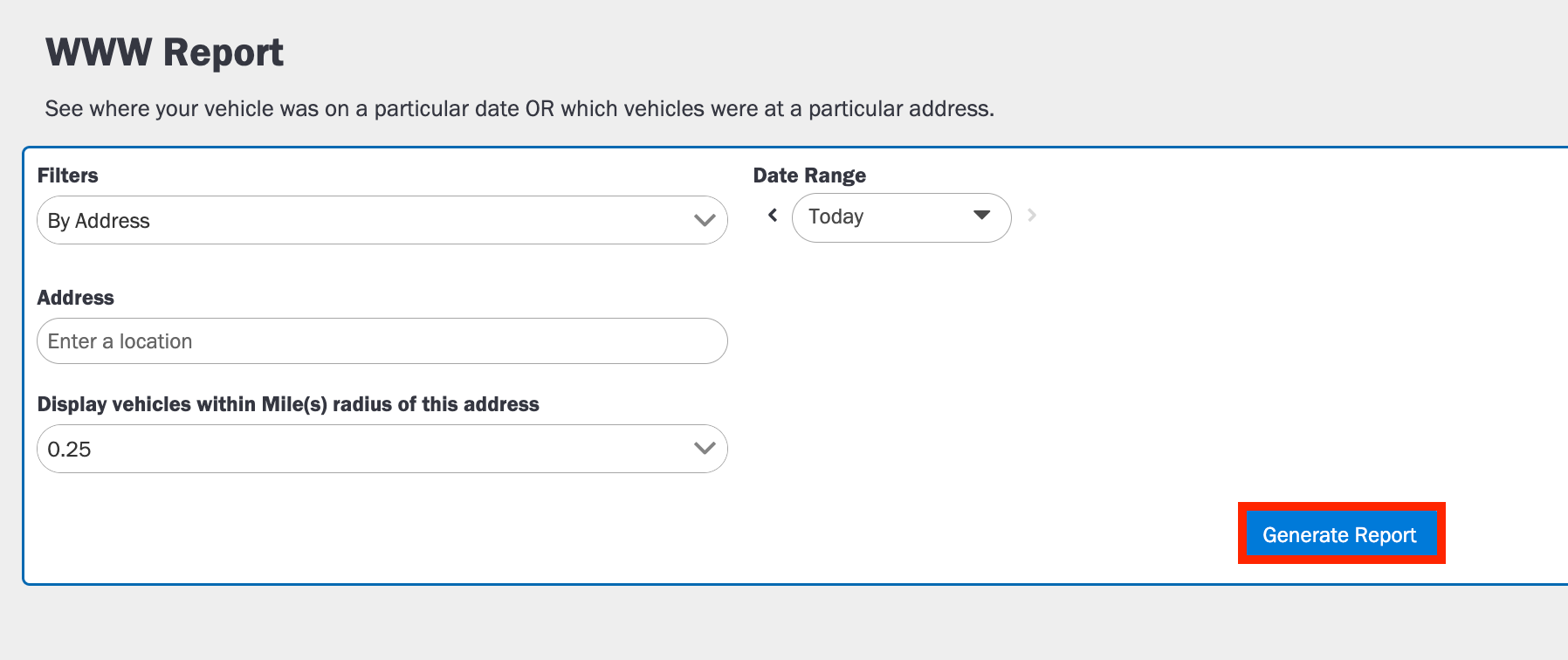
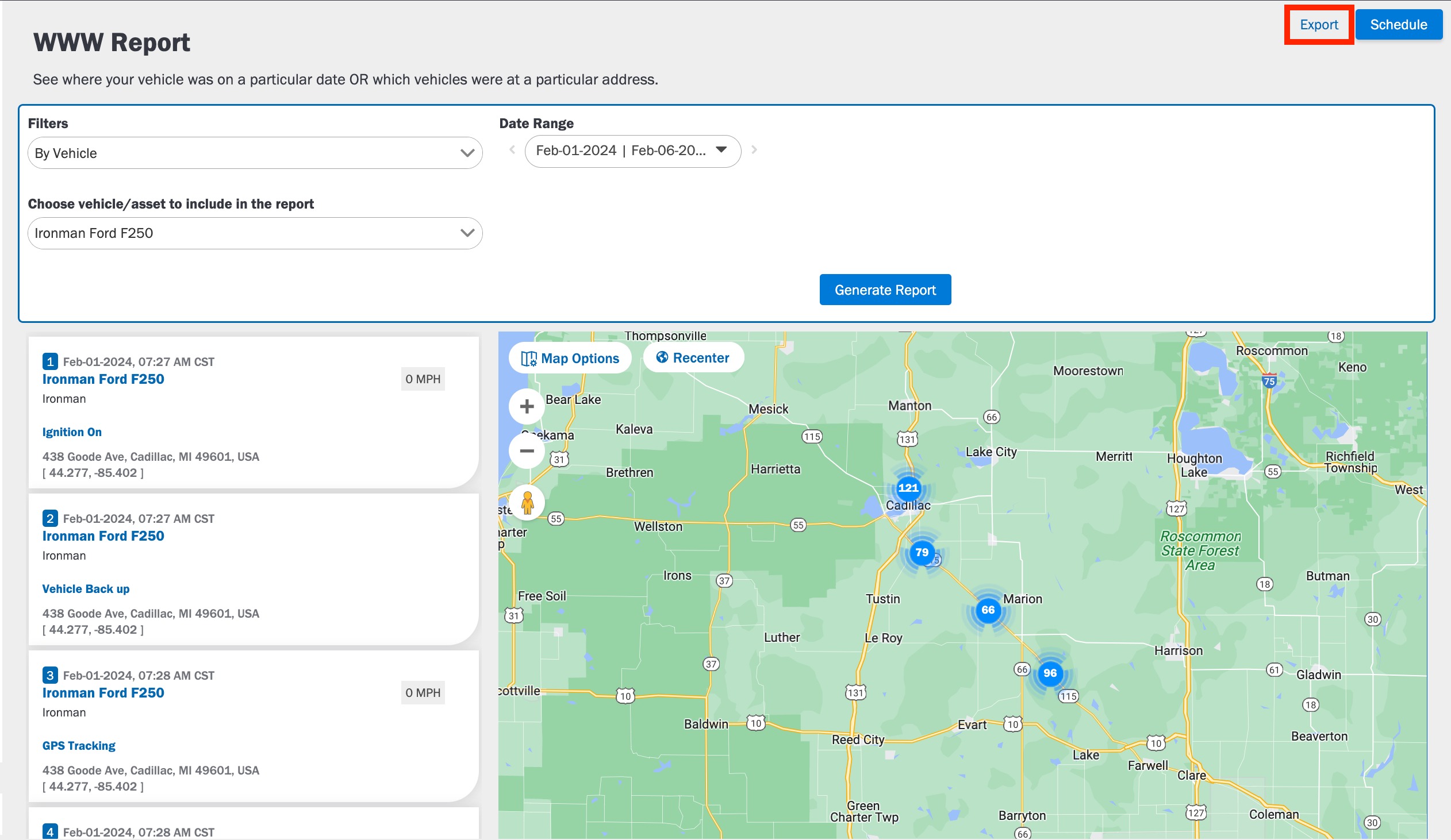
You can either generate the WWW report by providing the vehicle name or by specifying a particular address. The latter will fetch vehicles within 1 mile of the specified location. The WWW report gives you details such as the speed of the vehicle, address, events that occurred, group name, and asset number.
To Generate a WWW report:
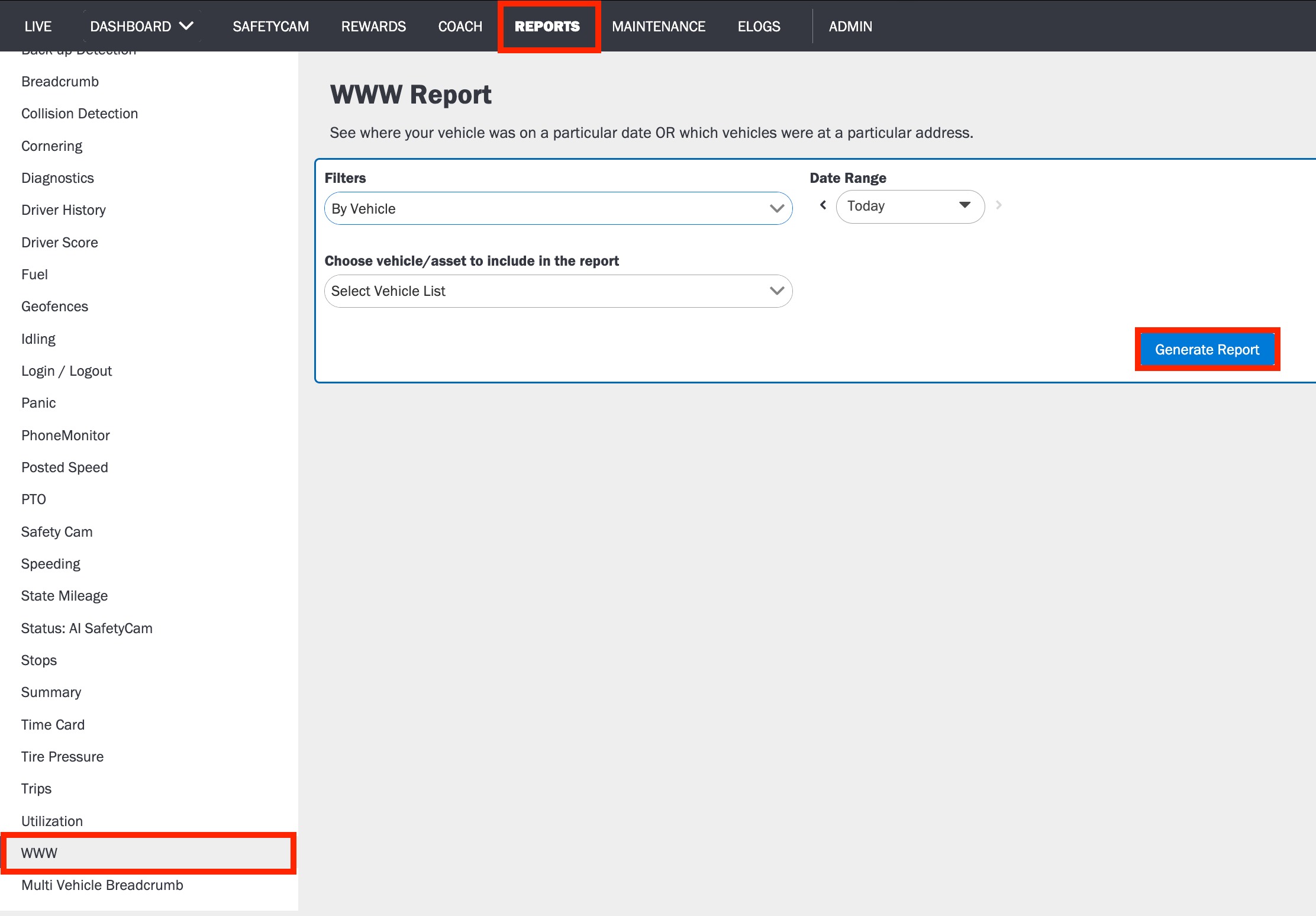
1. Log in to the Azuga Web application.
2. Navigate to the WWW page, under the Reports tab.
3. Select Filter, By Vehicle or By Address.
5. Else Enter the Address and Radius of the address if you want to get the report based on the Address.
To export the Report in PDF or XLSX format to your system, click the Export button.
Note: This report can be scheduled to run at regular intervals. This will automatically generate the report and send it to you via email.
Was this article helpful?
That’s Great!
Thank you for your feedback
Sorry! We couldn't be helpful
Thank you for your feedback
Feedback sent
We appreciate your effort and will try to fix the article