Este artículo no está disponible en Spanish. Consúltalo en English.
To log out from your account:
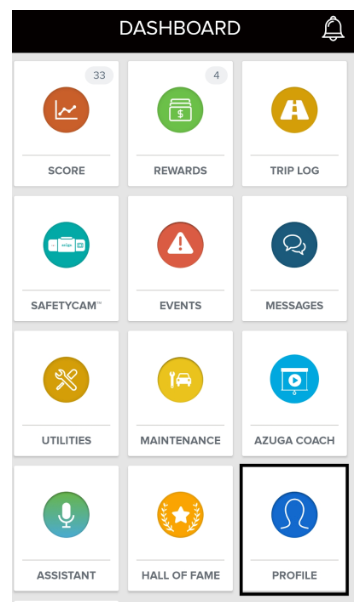
1. Navigate to Dashboard > Profile.
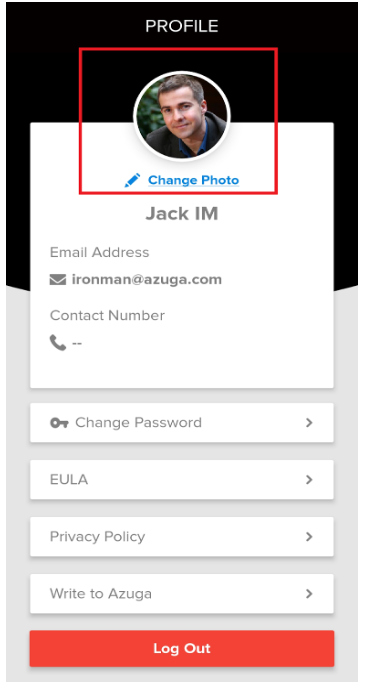
2. Tap Log Out.
Azuga stops sending you notifications once you log out of the application. You will not be notified when your supervisor sends you a reward card nor will you be notified of score updates and messages.
It is recommended that you remain logged into your account all the time.
Note: The logout button will be available on the app based on the preference set by your supervisor.
Was this article helpful?
That’s Great!
Thank you for your feedback
Sorry! We couldn't be helpful
Thank you for your feedback
Feedback sent
We appreciate your effort and will try to fix the article